Google’s Gemini 3.8 Live with Live Avatar adds a visual, animated presence to real-time AI conversations. The system combines near-real-time video generation with speech, while allowing asynchronous tool calls to run in the background. Google announced Live Avatar on September 24, 2026 and says it is available in Gemini Enterprise.
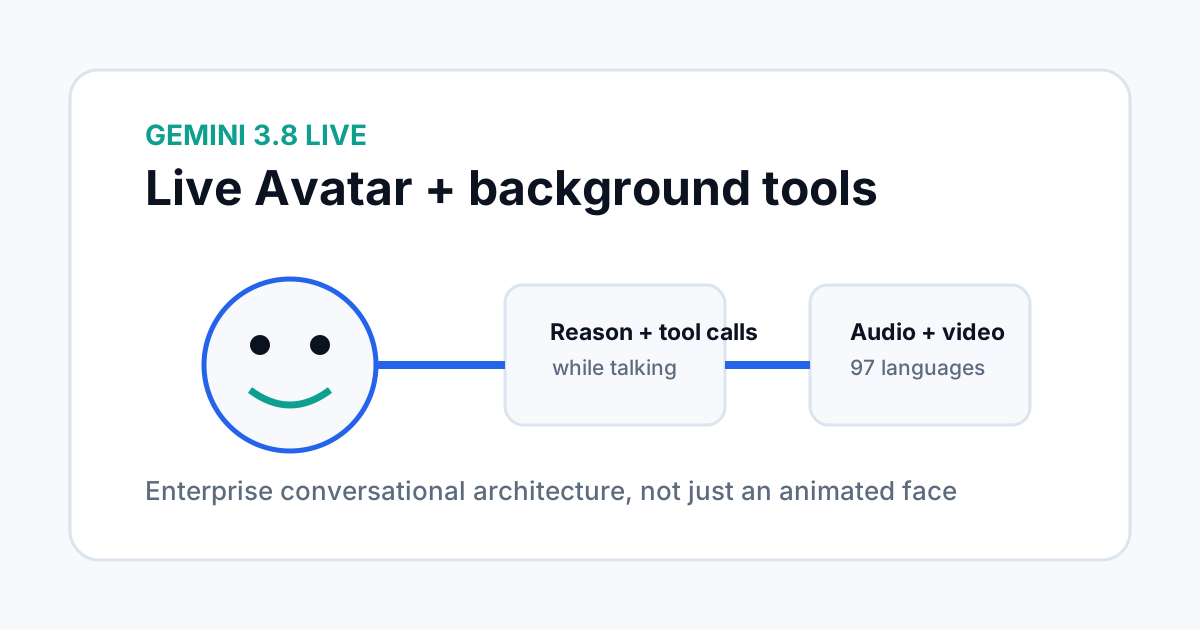
What Live Avatar adds to Gemini Live
Gemini 3.8 Live was already designed for fluid conversations with real-time visual and language support. Live Avatar adds a dynamic visual persona to that interaction, so the assistant can listen, understand visual context and respond with synchronized audio and video.
The design is aimed at enterprise conversational experiences where the assistant may need to remain present while another system performs a longer task in the background.
How asynchronous tools change the conversation
The most important architecture detail is asynchronous tool execution. Google says Live Avatar can start a tool call or fetch data while the conversation continues. Instead of forcing the user to wait in silence, the agent can acknowledge the request, keep the dialogue moving, and then use the result when the tool finishes.
This changes the user experience more than a simple animated face does. It lets voice and visual interaction behave more like an active assistant than a request-response form.
Why 97-language support matters
Google says Live Avatar can dynamically adapt its lip-sync and facial expressions across 97 languages. The company says the system can switch languages during a conversation while keeping the video synchronized.
For global teams, that is useful only if the full workflow is localized too. Voice quality is one part of the experience. Businesses still need localized content, policies, escalation paths and human support when an automated interaction reaches its limits.
Custom avatars and access controls
Organizations can use preset avatars or create custom ones from a high-quality reference image. Google says custom avatar creation is currently limited to enterprise allowlisting, which means access is not simply open to every developer account.
This is an important deployment detail for product teams. A visual identity should be treated as part of the agent's trust surface. Teams should document who can create, approve and change a custom avatar rather than treating it as an ordinary UI setting.
Transparency and watermarking
Google says AI-generated Live Avatar output is watermarked with SynthID. The company describes the watermark as an imperceptible signal embedded in the audio and video to help keep generated media detectable.
That safeguard is useful, but it does not replace disclosure. Product teams should still make it clear to users when they are interacting with an AI system and define how human escalation works for sensitive conversations.
What enterprise teams should test
| Area | What to measure |
|---|---|
| Conversation latency | Time to first response and recovery after tool calls. |
| Tool reliability | Success rate, timeout handling and clear user status. |
| Visual consistency | Lip-sync, facial timing and stability across long sessions. |
| Identity controls | Who can create, approve and change avatars. |
| Language handling | Quality when users switch languages or accents. |
| Human escalation | How and when the experience hands a task to a person. |
The right evaluation is the whole interaction, not just the quality of the avatar animation. A polished face can still create a poor product if the tool calls are slow, the information is wrong or the user does not know when a person is involved.
How developers can think about the architecture
Think of the system as four connected layers: live audio and visual input, a reasoning model, background tools, and a rendered visual response. The challenge is keeping those layers synchronized so the user always understands what the agent is doing.
That architecture is closer to an agent system than a traditional video avatar. The tool layer can cause real external effects, so permissions, logs and error handling should be designed before production rollout.
For deeper model and API context, see the Gemini 3.8 Live API guide.
What is still unknown
Google’s announcement focuses on the product design and enterprise availability. It does not establish that Live Avatar is a fit for every call center, support workflow or public-facing assistant. Teams still need to test response quality, latency, cost, safety and customer acceptance on their own workloads.
Frequently asked questions
Where is Gemini 3.8 Live with Live Avatar available?
Google says Live Avatar is available in Gemini Enterprise, with API documentation provided for getting started.
Can Live Avatar run tools while talking?
Yes. Google says asynchronous tool execution lets the system call tools and fetch data in the background while the conversation continues.
How many languages does Live Avatar support?
Google says the system can transition across 97 languages while adapting lip-sync and expressions.
Sources
- Google — Introducing Gemini 3.8 Live with Live Avatar
- Google — Gemini 3.8 Live and Extended Thinking