Meta launched Muse as a personal AI agent built around a dedicated Secure VM, a separate Sentinel agent and user approval for sensitive actions. On September 22, security researchers reported a zero-day that they say could turn Muse into a Mac backdoor by abusing the permissions available to the assistant. The important lesson is bigger than Muse: an AI agent can have a strong security design on paper and still inherit serious risk from the software that runs around it.
What Meta says Muse is designed to do
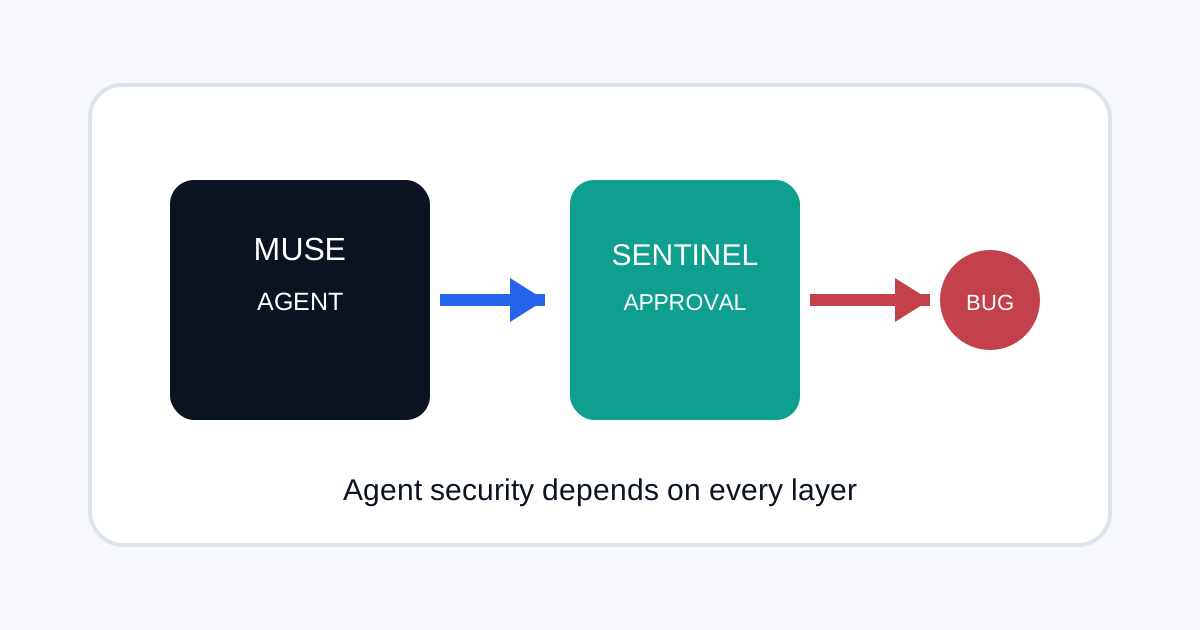
Meta says Muse runs inside a dedicated cloud computer that contains the agent and a person's data. A separate Sentinel agent is meant to approve internet access, while credentials are stored so Muse cannot directly see passwords or payment details. Meta also says Muse asks for permission before sensitive actions and provides an audit trail.
Those are strong architectural goals. They also create a clear security boundary: the agent, Sentinel, browser, VM and connected accounts all need to remain trustworthy.
What researchers reported
Malwarebytes reported a Muse vulnerability that could allow an attacker to abuse the assistant's capabilities on a Mac. The report describes a path in which a malicious input could cause Muse to perform actions with the permissions available to it.
This article is about the reported vulnerability, not a claim that every Muse user is compromised. The appropriate question for users is whether Meta has confirmed the issue, issued a fix and described any required mitigation.
Why AI agents create a different security problem
A normal application bug may expose data or execute code. An agent can add another layer: it can interpret instructions and then choose tools. That means a successful exploit may become more powerful if the agent has access to email, files, browsers, payments or other accounts.
Meta's own design reflects this. Muse has a separate Sentinel component, explicit permissions and approval steps because the company expects agent actions to have real-world effects.
Use least privilege for personal agents
| Access | Safer default |
|---|---|
| Read-only until sending is genuinely needed. | |
| Files | Limit access to task-specific folders. |
| Browser | Require confirmation for purchases, logins and account changes. |
| Payments | Use isolated payment methods and transaction approval. |
| Credentials | Prefer secure storage that hides secrets from the model. |
Do not judge agent security from the model alone
The vulnerability discussion also reinforces a broader point: the model is only one component. Browser automation, plugin systems, operating-system permissions, authentication and update mechanisms can create attack paths even when the model's behaviour is constrained.
That is similar to the supply-chain problem described in Plugin4Shell. In both cases, security depends on the system surrounding the AI.
What users should check now
- Check Meta's current security guidance and update Muse and the host software when fixes are available.
- Review which apps and accounts the agent can access.
- Remove permissions that are not needed for current tasks.
- Review audit logs for unusual actions.
- Avoid giving a personal agent broad access just because a feature can use it.
What is still unknown
The public research report does not by itself establish the scale of exploitation. Users should wait for vendor confirmation about affected versions, attack requirements and patches rather than assuming that every Muse installation is vulnerable in the same way.
Frequently asked questions
What is the Muse security issue?
Security researchers reported a zero-day that could potentially let an attacker abuse Muse's agent capabilities on a Mac.
Does this mean Muse is unsafe for everyone?
No. A reported vulnerability needs to be assessed by affected versions, exploit requirements, vendor response and whether a fix is available.
What is the main security lesson?
Give personal AI agents only the permissions they need and treat the agent, browser, credentials and operating system as one security boundary.