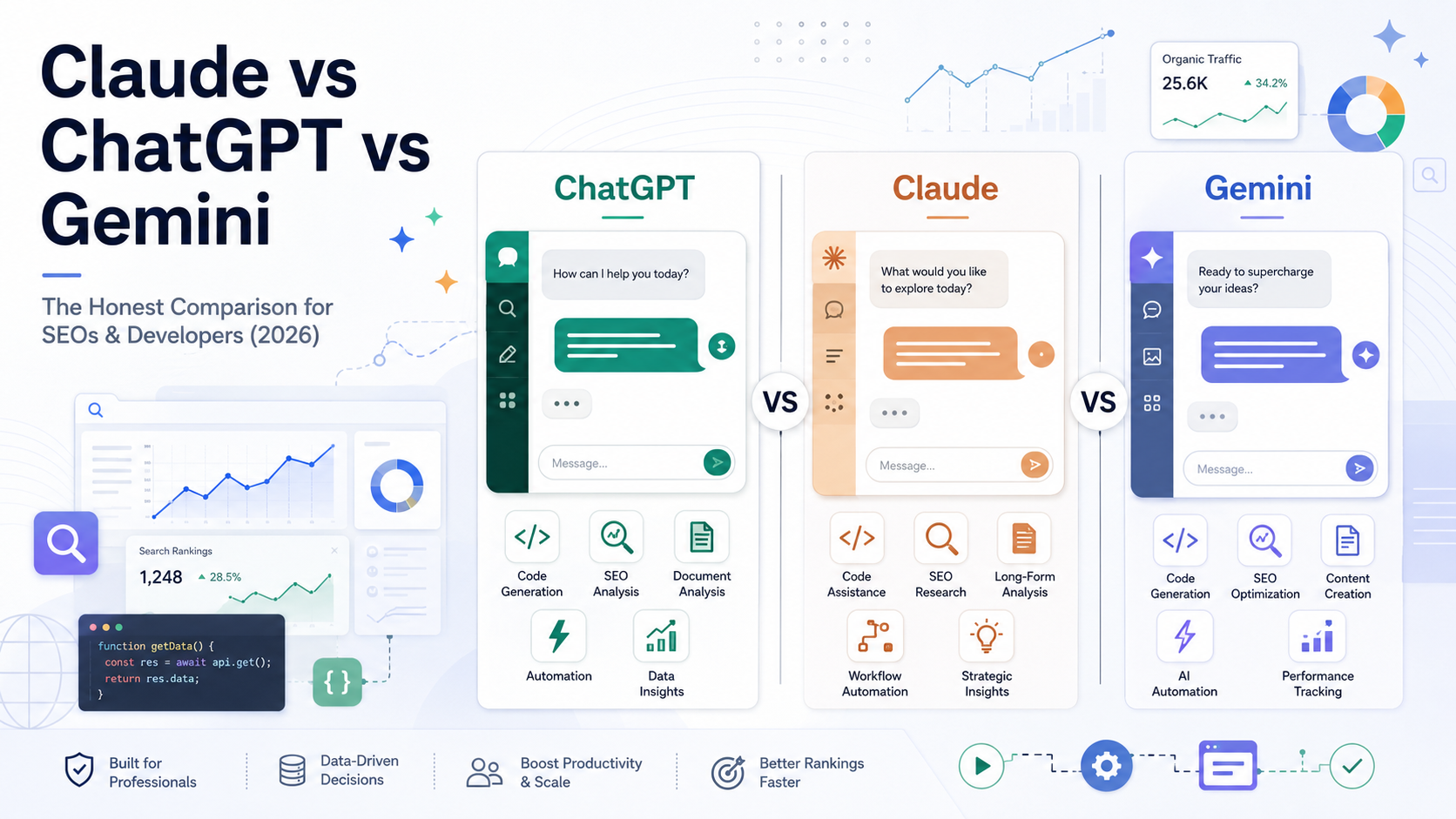
Three Comparisons in One: Why “Claude vs ChatGPT vs Gemini” Means Different Things
Before you compare these three tools, you need to know that “Claude vs ChatGPT vs Gemini” is actually three separate comparisons stacked on top of each other. There are the chat apps you type into. There are the models powering them, which have changed at least twice since most existing reviews were published. And there is a third category, terminal coding agents, that has nothing to do with the chat interface and is currently being renamed out from under anyone using Google’s version.
That third layer is not a minor detail. Google is shutting down free, Pro, and Ultra access to Gemini CLI on June 18, 2026, and folding it into a new tool called Antigravity CLI, according to Google’s own developer blog post on the transition. Any article recommending Gemini CLI without flagging this cutoff is giving advice that breaks within days of you reading it.
This guide treats those three layers separately. First, what model sits behind each paid chat app right now. Second, how the three apps score on real SEO and content tasks. Third, how the three apps score on coding. Fourth, a dedicated look at the coding-agent layer, since that decision is increasingly separate from which chatbot you pay for.
The Chat Apps vs. The Models Inside Them
The current default paid model behind ChatGPT Plus is GPT-5.4, behind Claude Pro is Sonnet 4.6, and behind Google AI Pro is Gemini 3.1 Pro. None of these is the model most people picture when they think of these products.
OpenAI’s own release notes confirm that GPT-5.5 models are now available to all ChatGPT tiers, with the model picker letting paid users manually select GPT-5.5 Instant or GPT-5.5 Thinking, and Pro-tier users get GPT-5.5 Pro on top of that. Plus subscribers get GPT-5.4 Thinking as their reasoning tier. If your mental model of ChatGPT still says GPT-4o, that model retired from the consumer picker earlier this year.
On the Claude side, Anthropic’s pricing documentation confirms that Claude Opus 4.7, the current Opus-tier flagship released April 16, 2026, runs $5 per million input tokens and $25 per million output tokens, the same rate card as its predecessor. Opus 4.7 and Sonnet 4.6 both include the full 1M token context window at standard pricing, with no separate long-context premium. That fact alone corrects a lot of stale comparison posts still citing a 200K ceiling for Claude.
Gemini’s paid tier runs on Gemini 3.1 Pro, which Google released on February 19, 2026 as a mid-cycle upgrade to Gemini 3 Pro. It supports a 1,048,576 token input context window with up to 65,536 tokens of output, and Google prices it well below either competitor on raw input tokens. free keyword idea generator if you want a quick gut check on search volume before you commit a model’s output to a content calendar.
The Coding-Agent Layer: A Fourth Name to Know
Gemini CLI is disappearing as a brand within weeks of most people reading this article. If you or your team automate anything with the gemini command, that automation needs attention before June 18, 2026.
Claude Code, Codex CLI, and Gemini CLI are terminal tools that read and edit files, run tests, and execute multi-step coding tasks on their own. They are a different product category from the chat apps, built for developers who want an agent working directly in their codebase rather than a conversation window. Anthropic’s Claude Code, OpenAI’s Codex CLI, and Google’s soon-to-be-renamed Gemini CLI compete on a different axis than the chat apps do, and a reader can need a completely different tool for this layer than the one they use for everyday writing or research.
We cover this comparison in full later in the article, but it matters enough to name here: picking the wrong chatbot costs you a slightly worse essay. Picking the wrong coding agent, or missing a forced migration, can break a CI pipeline overnight.
Scoring Claude, ChatGPT, and Gemini for SEO and Content Work
We tested five named tasks instead of asking “which one writes better”: keyword clustering, content brief generation, long-form drafting, SERP gap analysis, and meta description writing. No single tool wins all five.
Each task rewards a different mechanism in the model, not a vague writing-quality edge. That distinction matters more than any subjective tone comparison, because it tells you which tool to open for which job rather than which one to subscribe to in general.
Keyword Research and Clustering
Gemini’s connection to live Google Search data changes keyword research output in a way the other two cannot fully replicate from training data alone. Google’s own developer documentation describes this as retrieval-augmented generation, where the model grounds its answer in current search index data rather than a frozen training snapshot.
That grounding means Gemini can surface keyword variants and related queries that reflect this week’s search behavior, not last year’s. Claude and ChatGPT can still cluster keywords well using semantic reasoning over a list you provide, but neither pulls fresh SERP data the way a Google-native model does.
Why Gemini’s Google Search Grounding Matters Here
Grounding lets Gemini check its keyword suggestions against what is actually ranking right now instead of guessing from older training data. For seasonal or fast-moving topics, that is the difference between a keyword list that reflects this quarter and one that reflects last year.
The tradeoff is that Gemini’s groundedness is strongest inside Google’s own ecosystem. If your workflow already starts in Search Console or Google Ads keyword data, Gemini’s output slots in more naturally. A keyword density checker is still worth running on the output regardless of which model produced it, since none of the three models reliably self-checks for keyword stuffing once a draft gets long.
Content Briefs and Long-Form Drafting
Claude Sonnet 4.6 loses its argument thread less often than the other two once a draft passes roughly 2,000 words, which is the specific structural failure mode that separates “reads fine in isolation” from “holds together as one article.” Anthropic’s own product page for Sonnet 4.6 describes the model as one that surprises with intuitive and thoughtful comments, pushing back thoughtfully and genuinely understanding the goals of its work, language that points at the same coherence advantage independent users report on long documents.
This matters specifically for content briefs and long-form drafts because those documents need a consistent point of view from the introduction to the conclusion. A model that forgets its own thesis statement by section four produces a brief that reads like five different writers handed off paragraphs to each other.
Claude’s 1M token context window, confirmed at standard API pricing in Anthropic’s pricing documentation, also means a model can hold an entire style guide, past published articles, and a detailed outline in the same session without losing track of any of it. That is a different kind of long-form advantage from raw prose quality. It is about not contradicting your own brand voice halfway through a 3,000-word brief.
Where ChatGPT Still Wins for Content Teams
ChatGPT’s strength for content teams is speed and volume, not depth. GPT-5.5 Instant produces a usable first draft of a short blog post or social caption faster than either competitor, and the Plus tier’s higher message caps suit teams cranking out many short pieces in a day rather than one long flagship article.
If your content calendar is built around volume, ChatGPT’s faster default mode and its native Canvas editing tool reduce the back-and-forth needed to get a usable draft. For a single high-stakes 3,000-word piece, that speed advantage matters less than coherence.
SERP Gap Analysis and Competitive Research
Analyzing ten competitor articles of 2,000 words each means feeding a model roughly 30,000 to 40,000 tokens in a single pass, well within any of the three models’ standard context windows, but the question is which one keeps every earlier article’s specific claims straight by the time it reaches the tenth. A 1M token context window, as confirmed for both Claude Opus 4.7 and Sonnet 4.6, can hold dozens of full competitor articles plus your own draft in one session without truncation.
Gemini 3.1 Pro matches that headroom with its own 1,048,576 token window and lower per-token input cost, which makes it a reasonable choice if your gap analysis runs at high volume across many keyword clusters per week. The practical difference shows up less in whether the content fits and more in whether the model still remembers what competitor three said by the time it analyzes competitor nine.
A duplicate content finder is a useful second pass after any of the three models drafts a gap analysis summary, since long-context synthesis occasionally produces phrasing that sits closer to a source article than you’d want in a published piece.
Scoring Claude, ChatGPT, and Gemini for Coding Tasks
On Anthropic’s own reported benchmark figures, Claude Opus 4.7 improved its SWE-bench Pro score from 53.4% to 64.3% over its immediate predecessor, while OpenAI’s GPT-5.5 reports roughly 58.6% on the same independently tracked benchmark, according to third-party pricing analysis citing OpenAI’s own comparative framing. Coding ability is not one number, though, and which model wins depends heavily on the size and shape of the task.
Quick scripts favor speed. Multi-file refactors favor reasoning depth and the ability to hold the whole codebase in view. Very large codebases favor whichever model has the most context room to work with before it starts forgetting earlier files.
Quick Scripts and One-Off Functions
GPT-5.4 and GPT-5.5 complete short, well-defined coding tasks with fewer back-and-forth prompts than the other two, largely because OpenAI’s Codex-trained coding stack is tuned for fast single-pass generation rather than long deliberation. GPT‑5.4 incorporates the industry-leading coding capabilities of GPT‑5.3‑Codex while improving how the model works across tools and software environments, per OpenAI’s official model release notes.
If you need a one-off regex helper, a quick data transformation script, or a small utility function, this is the use case where ChatGPT’s speed edge is most noticeable. You are not asking the model to reason about a whole system, just to produce a correct small piece of code fast.
Complex Multi-File Refactors and Debugging
The current benchmark gap between the top two models on multi-file reasoning tasks sits at roughly six percentage points on SWE-bench Pro, with Claude Opus 4.7 ahead. Independent pricing analysis covering the April 2026 release cites Opus 4.7’s SWE-bench Pro jumping from 53.4% to 64.3%, with CursorBench rising from 58% to 70%, a meaningful generational step for the kind of refactor that touches a dozen interconnected files.
This is where Claude’s longer effective reasoning chain pays off. A refactor across multiple files requires the model to track how a change in one file ripples into three others, and that kind of dependency tracking rewards depth over raw speed. Quick single-pass generation, the strength that helps GPT-5.5 on isolated scripts, matters less here than not losing track of a function signature you changed four files ago.
Large Codebases and Context Window Limits
A 1 million token context window holds roughly 750,000 words, which translates to somewhere between 15,000 and 25,000 lines of typical source code depending on language and comment density, enough to load a mid-sized application’s entire backend in one pass. Both Claude Opus 4.7 and Sonnet 4.6 ship this window at standard pricing, and Gemini 3.1 Pro matches it at 1,048,576 input tokens with up to 65,536 tokens of output.
For a codebase that fits comfortably under that ceiling, the three tools are roughly at parity on raw capacity, and the decision comes down to reasoning quality on what’s inside the window rather than whether the window is big enough. For genuinely massive monorepos that exceed even a 1M token budget, none of the three solves the problem outright, and you are back to scoping context manually regardless of which model you pick.
Claude Code vs Codex CLI vs Gemini CLI: The Coding-Agent Comparison Nobody Connects to This
This is a different product category from the chat apps just compared, and you may need a second tool entirely even if you have already settled on a favorite chatbot. Claude Code, Codex CLI, and Gemini CLI all run inside a terminal, read your actual project files, and execute multi-step changes with much less hand-holding than a chat window.
A developer who prefers ChatGPT for everyday writing can still prefer Claude Code for terminal work, and that split is common rather than contradictory. The chat-app comparison above does not predict the right answer here.
What Changed in the Last 90 Days
Gemini CLI stops serving free, Google AI Pro, and Google AI Ultra users on June 18, 2026, and that single date matters more to this category than any feature release. On that date there will be no new installations on GitHub organizations, and requests in the following weeks will stop being served for affected tiers.
Google’s own announcement frames the replacement, Antigravity CLI, as a deliberate consolidation rather than a simple rename. Antigravity CLI is built in Go for faster execution, supports asynchronous workflows that let it orchestrate multiple agents in the background, and shares the same agent harness as the new Antigravity 2.0 desktop application. Enterprise customers on a Gemini Code Assist Standard or Enterprise license keep uninterrupted access, but everyone else is on a hard deadline with no announced grace period.
Meanwhile, Anthropic shipped Agent Teams for Claude Code, a feature that lets one terminal session coordinate several specialized Claude instances working on different parts of the same task. Anthropic’s own documentation describes it plainly: agent teams let you coordinate multiple Claude Code instances working together, with one session acting as team lead, coordinating work, assigning tasks, and synthesizing results, while teammates work independently in their own context windows and communicate directly with each other.
Claude Code: Agent Teams and Multi-File Reasoning
Agent Teams remains an experimental, opt-in feature you enable through a settings flag rather than a default behavior. Once turned on, you can describe a task in natural language and let Claude spawn and coordinate multiple teammates with distinct roles, each holding its own context window rather than sharing one crowded conversation.
Codex CLI: Computer Use and Subagent Parallelism
Codex CLI shipped subagents to general availability earlier this year, using a manager-worker model that can run up to eight parallel agents on a single task. Its default cloud-sandbox execution model also means CI pipelines can run Codex tasks without local state pollution, an advantage for teams that need every agent action centralized for audit purposes.
Gemini CLI’s Move to Antigravity: What Developers Need to Do Now
If you or your CI pipeline calls the gemini command today, audit that automation now rather than waiting for June 18, 2026. Google’s transition documentation points teams toward installing Antigravity CLI alongside the existing tool during the overlap window, re-testing MCP servers, hooks, and custom commands before relying on them, and deciding deliberately whether an enterprise license exemption applies to your account.
Pricing and Cost-Per-Task
A realistic mid-sized refactor task costs roughly $15 on Codex CLI’s cloud-sandbox model versus a documented figure closer to $150 for the same Express.js refactor run on Claude Code, according to independent comparison testing, even though blind reviewers preferred Claude Code’s output on the majority of those same tasks. That gap is the clearest illustration of why subscription price alone tells you nothing useful about what a tool will actually cost you in a real week of work.
On subscription pricing, Anthropic’s official pricing documentation confirms Claude API rates of $5 per million input tokens and $25 per million output tokens for Opus 4.7, with prompt caching able to cut costs substantially on repeated context. OpenAI’s Codex usage draws from the same per-token API pricing that powers ChatGPT, meaning heavy CLI use can pull from the same usage allowance as your everyday chat sessions on a Plus or Pro plan.
For high-volume SEO content teams generating many briefs per week rather than running coding agents, prompt caching and batch processing are the two levers worth understanding before you commit to a tier. Both Anthropic and OpenAI offer batch-processing discounts of roughly 50% for work that can tolerate a delay of minutes to hours rather than needing an instant response, which matters if your content pipeline runs briefs in scheduled batches rather than one at a time.
Which One Should You Actually Pay For?
An in-house SEO writer producing long-form content daily should run Claude Pro as the default and keep a free ChatGPT account on hand for quick volume tasks. A solo developer working mostly in scripts and small features should run ChatGPT Plus for Codex access, while a developer doing frequent multi-file refactors should add Claude Code on top.
The role you’re in, not a general feature list, should decide the subscription. Trying to evaluate all three tools against every possible feature produces the “use all three” non-answer that dominates most existing comparisons. Routing by actual job function produces an answer you can act on this week.
If You’re Primarily Doing SEO and Content Work
The task that should decide your subscription is long-form coherence, not feature count. If you regularly write or edit pieces past 2,000 words, Claude Pro’s stronger thread-holding on long documents and its 1M context window for loading style guides and past articles make it the stronger default. Keep ChatGPT on hand for fast, short-form volume work where speed matters more than depth.
If You’re Primarily Coding
The codebase-size threshold that should change your recommendation sits around the point where a single feature touches more than three or four files. Below that threshold, ChatGPT Plus with Codex CLI handles quick scripts and isolated functions efficiently and cheaply. Above it, Claude Code’s deeper multi-file reasoning and Agent Teams coordination justify the higher per-task cost on the refactors and debugging sessions where being right matters more than being fast.
If You Do Both
The two-tool combination that covers both jobs without redundant spend is Claude Pro for content and research, paired with ChatGPT Plus for quick coding tasks and Codex CLI access. That combination costs roughly $40 a month combined, covers the named tasks scored throughout this article, and avoids paying for a third tool’s overlapping features just to chase a marginal benchmark gain. Add Claude Code on top only once your coding work consistently involves refactors spanning more than a handful of files.
Frequently Asked Questions
Is Claude better than ChatGPT for SEO content writing?
Claude Sonnet 4.6 holds a long-form argument thread better than ChatGPT past roughly 2,000 words, which makes it the stronger choice for full articles and detailed content briefs. ChatGPT remains faster for short-form volume work like social captions and quick first drafts, so the better tool depends on the length and depth of the specific piece.
What model does ChatGPT use in 2026?
ChatGPT’s current lineup runs on the GPT-5 family, with GPT-5.5 available across all paid tiers including selectable Instant, Thinking, and Pro variants, and GPT-5.4 Thinking serving as the reasoning tier for Plus subscribers. GPT-4o and earlier models have been retired from the consumer model picker.
Is Gemini CLI shutting down?
Gemini CLI stops serving free, Google AI Pro, and Google AI Ultra tier users on June 18, 2026, according to Google’s official developer blog announcement. The replacement is Antigravity CLI, and enterprise customers on a Gemini Code Assist Standard or Enterprise license retain uninterrupted access.
Which AI has the largest context window in 2026?
Claude Opus 4.7, Claude Sonnet 4.6, and Gemini 3.1 Pro all support a 1 million token context window at standard pricing, putting the three frontier models at rough parity on raw capacity. The practical difference shows up in how accurately each model recalls details from deep inside that window, not in the headline token count.
Can Claude Code replace Codex CLI?
Claude Code can replace Codex CLI for teams whose work centers on complex multi-file refactors and debugging, where its deeper reasoning and Agent Teams coordination outperform Codex’s faster single-pass style. Codex CLI remains the better fit for quick scripts, isolated functions, and cloud-sandboxed CI automation where speed and lower per-task cost matter more than reasoning depth.
Do I need both ChatGPT and Claude for SEO work?
Most SEO and content teams benefit from running both, since each tool wins different named tasks rather than one winning everything. Claude’s strength on long-form coherence and Gemini’s live search grounding for keyword research mean a single-tool stack leaves real capability on the table, while ChatGPT covers fast short-form volume work neither of the others does as efficiently.