Google Search Console's URL Inspection tool is one of the most useful ways to debug a single URL because it shows Google's indexed view of a page and provides a separate live test. The important part is knowing which result you are looking at: indexed data describes the version Google last processed, while the live test checks the current page.
What URL Inspection can tell you
Google says URL Inspection can show indexing status, Google's selected canonical, structured data and other information about a page. It can also test a live URL and show loaded resources and a rendered view when the live test succeeds.
This makes the tool useful for page-level diagnosis. It is not a replacement for site-wide crawl analysis, performance reporting or a complete technical SEO audit.
Indexed data vs live test
The first distinction is critical. Indexed information comes from the most recent version Google has indexed. It may be older than the page a visitor sees today.
The live test fetches the current URL. A live page can therefore pass while the indexed version still shows an old canonical, old content or an earlier error. Treat the two views as different datasets, not conflicting reports.
How to inspect a page
- Open the correct Search Console property.
- Enter the full URL in the inspection bar.
- Review the indexed status and canonical information.
- Run Test Live URL when you need to check the current page.
- Open the rendered details and loaded resources when available.
- Fix the underlying issue before requesting another crawl.
Check the Google-selected canonical
Search Console can show the canonical Google selected for the indexed version. This is important when a page has duplicate or near-duplicate URLs.
Do not assume your declared canonical was accepted simply because it exists in the HTML. Compare your preferred canonical with Google's selected canonical and investigate differences in redirects, internal links, sitemap entries and page similarity.
Use URL Inspection for indexing problems
| Symptom | Useful inspection question |
|---|---|
| New page not indexed | Can Google access and parse the live URL? |
| Wrong canonical | What canonical did Google select? |
| Page changed recently | Does the live test show the new content? |
| Structured data issue | What structured data does Google detect? |
| Rendering problem | Can the inspection view load important resources? |
What the tool does not prove
A successful live test is not a guarantee that a page will appear in Search. Google says the tool does not test every condition, including manual actions, some security issues and other quality-related conditions.
Likewise, “URL is on Google” means the URL is eligible to appear. It does not guarantee a ranking or a visible result for a specific query.
When to request indexing
Use Request Indexing after fixing a meaningful page issue or publishing an important new URL. Google notes that there are daily limits and that submitting a request does not guarantee immediate crawling or inclusion.
For larger groups of URLs, a sitemap is the better discovery mechanism. ToolBoxKart's XML sitemap validation guide explains the pre-publish checks that prevent malformed sitemap data.
URL Inspection for technical SEO workflows
For a small site, use URL Inspection for important landing pages, recently changed pages and pages with indexing problems. For a larger site, combine it with crawl data and Search Console reports.
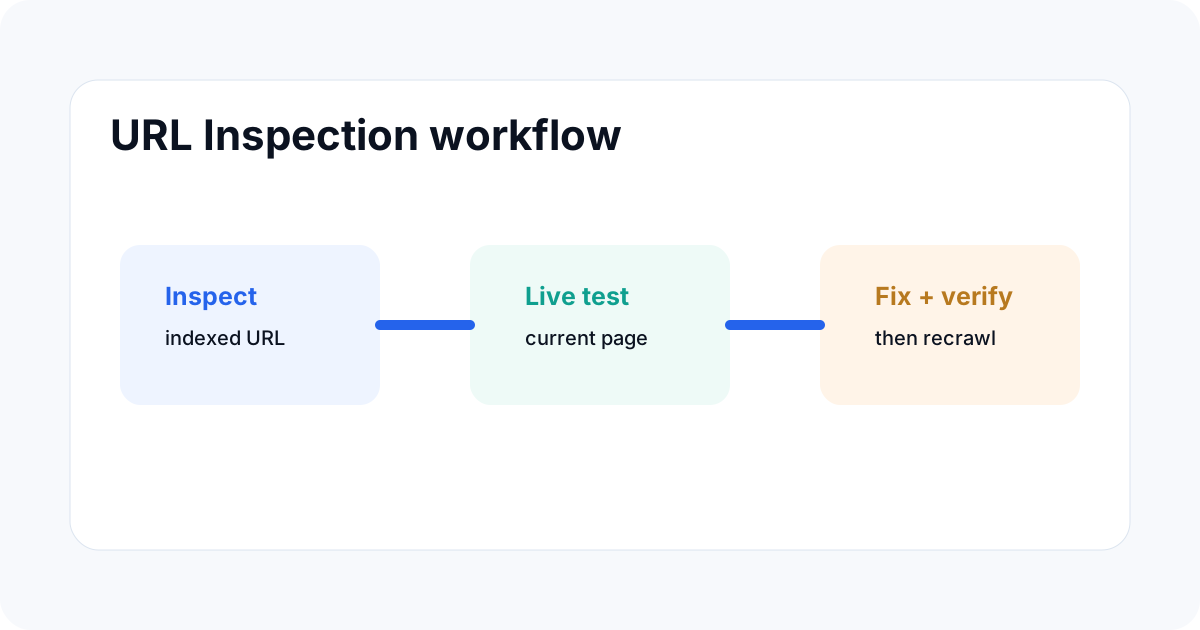
A good workflow is: detect the pattern in a report, inspect one representative URL, test the live page, fix the template or rule causing the issue, then verify a sample of affected URLs. This prevents spending time manually inspecting hundreds of pages one by one.
Common mistakes
One mistake is reading indexed data as if it were real-time. Another is requesting indexing repeatedly without fixing the page. A third is using URL Inspection as proof that a page will rank.
Also make sure you inspect the exact URL variant. Redirects, query parameters, hostname changes and protocol changes can produce different results.
How to combine it with other SEO checks
Use URL Inspection for page-level evidence. Use crawling tools for site-wide architecture. Use the sitemap for preferred URL discovery. Use Search Console performance and indexing reports for larger patterns.
This layered approach is faster than trying to make one tool answer every technical SEO question.
Related ToolBoxKart guides
For sitemap checks, read how to validate an XML sitemap before publishing. For crawl access, see how to test robots.txt for SEO. For canonical problems, use canonical tags for faceted navigation. For redirect paths, read how to check redirect chains for SEO.
Frequently asked questions
Does URL Inspection show the live page?
Indexed results do not. Use Test Live URL to inspect the current page. The indexed report reflects Google's most recently indexed version.
Does “URL is on Google” guarantee rankings?
No. It means the URL is eligible to appear in Search, not that it will rank or appear for a particular query.
Can I request indexing for every URL?
You can request individual URLs, but Google applies limits and says repeated requests do not make a URL crawl faster. For many URLs, use a sitemap.
Sources
- Google Search Console Help — URL Inspection tool
- Google Search Console Help — Inspect and troubleshoot a single page
- Google Search Central — Ask Google to recrawl your URLs