GitHub announced generally available REST API endpoints on October 19, 2026, for retrieving and updating GitHub Copilot model policies at enterprise, enterprise-team, enterprise-app and organization levels. The change gives administrators a way to manage model availability through their existing automation and governance workflows instead of relying only on manual settings in the web interface.
What GitHub announced
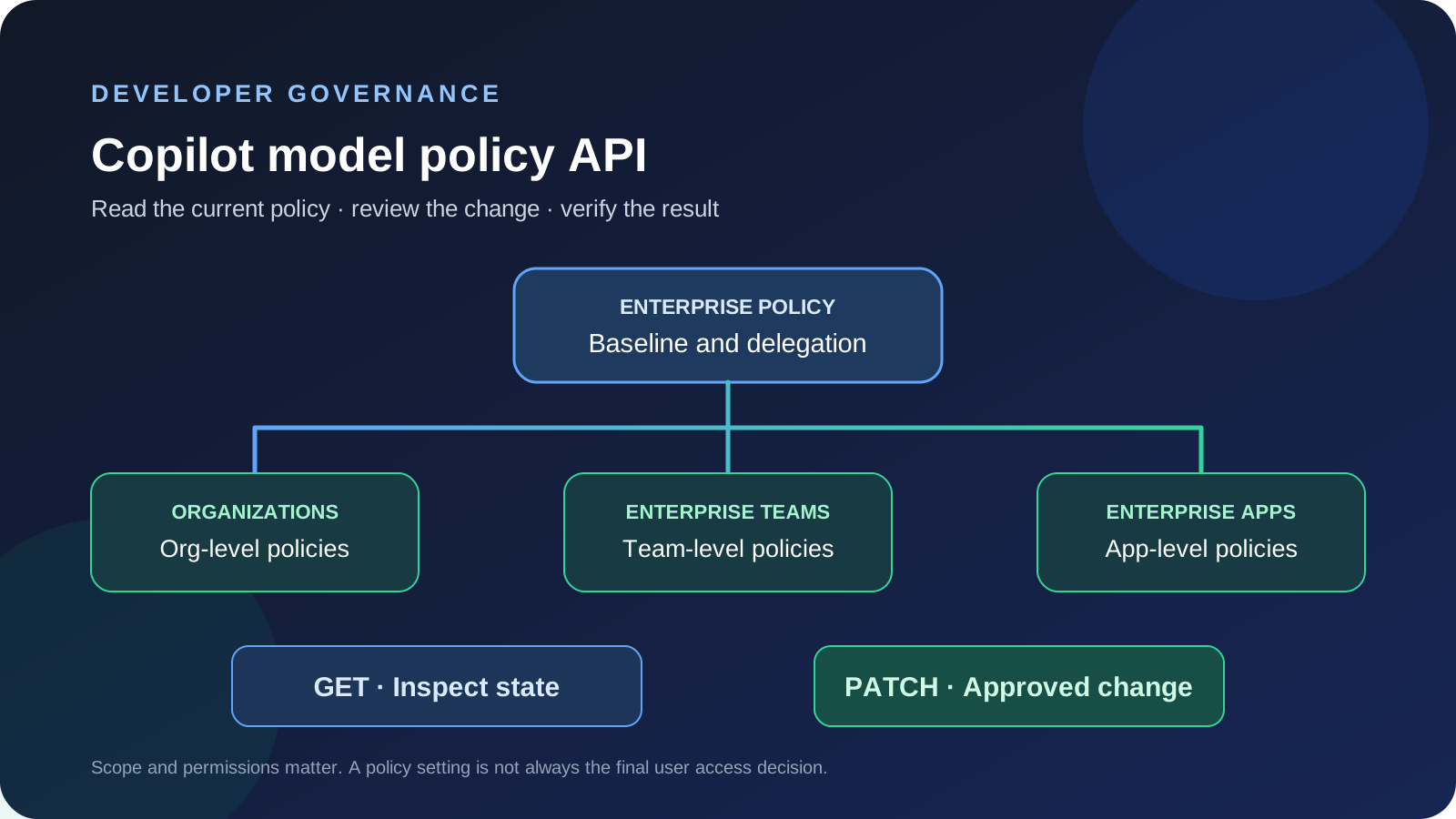
The new GET and PATCH endpoints let authorized callers read or update Copilot model policies for four scopes: an enterprise, an enterprise team, enterprise apps and an organization. GitHub says the endpoints are generally available. The policy API is about administrative availability settings; it does not itself guarantee that a particular user can access a model in every Copilot experience.
The enterprise endpoints include paths for enterprise-wide model policies, policies for a specific enterprise team and policies for enterprise apps. The organization endpoint lets an organization manage the model policies that apply within that organization. Administrators should use the official REST API documentation for the exact request shape, supported fields, token permissions and API version.
Why model policy APIs matter to administrators
Organizations often need to make model availability consistent across many teams. A central administrator may allow a baseline set of models, delegate decisions to organizations or teams, and reserve other models for specific workloads. When that configuration must be repeated across environments, an API makes it possible to review policy state, compare it with an approved configuration and apply changes through a documented process.
Automation can also help with change management. A team could export current policy settings before a change, compare them with the intended configuration, request approval, apply the update and save the result in an audit record. That is an operational pattern, not a feature GitHub claims the API performs automatically.
Understand the four policy scopes
- Enterprise: sets the high-level baseline for model availability across an enterprise.
- Enterprise teams: supports more granular control where the enterprise uses team-based model access.
- Enterprise apps: manages policy settings for supported agent apps.
- Organization: lets organization-level administrators retrieve and update policies within their organization.
The scopes are related, but they are not interchangeable. Enterprise policy can constrain lower-level choices, and the settings available at a particular scope depend on the current policy mode and whether a model is editable. Read the response fields rather than assuming that a PATCH request changes every user's final access.
Plan permissions before automating updates
GitHub's documentation distinguishes read and write access for enterprise AI controls. Enterprise owners and users with the required permissions can use the relevant endpoints. Fine-grained GitHub App tokens need the documented enterprise AI-controls permission; OAuth apps and classic personal access tokens may require the corresponding enterprise scope. Use the narrowest token type and permissions that fit the workflow, and avoid placing credentials in source files or logs.
For a read-only inventory, start with the GET endpoint and verify the response against the current documentation. For an approved policy change, use PATCH only after confirming the target scope, model identifier and intended state. Do not use a write request merely to discover which settings exist.
A safe rollout checklist
- List the enterprise, organization, team and app scopes that your organization actually uses.
- Retrieve current model policy state and store a reviewable snapshot without recording secrets.
- Compare the current state with an approved policy file or change request.
- Check which models are editable and which settings are inherited or locked by a higher-level policy.
- Test the process against a low-impact scope before automating a broad rollout.
- Apply only the approved changes, then retrieve the policy again to confirm the resulting state.
- Keep a timestamp, actor, change reference and before-and-after values in the audit trail.
- Document a rollback procedure that restores the previous supported configuration.
How this relates to model retirements
Model availability also matters when a provider retires or replaces a model. GitHub's October 19 Copilot model retirement notice describes the models that became unavailable and their suggested alternatives. Administrators can use the policy API as part of a wider review, but changing policy does not automatically update every repository prompt, editor setting or application integration that names a retired model.
See our Copilot model retirement guide for the separate migration checklist. Treat model availability, model selection and application compatibility as related but distinct checks.
What to verify before relying on the API
Confirm that the endpoint applies to your Copilot plan and administrative scope. Review rate limits, required permissions, supported model identifiers and the meaning of the returned policy state. A setting such as optional or delegated may not mean the same thing as enabled for every user. After updating policy, verify the result through a fresh GET request and test access in the relevant Copilot experience.
The practical value is repeatability: administrators can inspect and manage policy state in a controlled workflow. The API does not remove the need for least-privilege access, change review, user communication or testing after a policy update.
Sources
- GitHub Changelog: Copilot model policy API for enterprise, orgs, and teams
- GitHub Docs: REST API endpoints for enterprise AI controls
- GitHub Docs: Managing availability of models in your enterprise