GitHub's announced Copilot model retirements take effect on October 19, 2026. The affected list includes Gemini 3.7 Flash, GPT-5.5, GPT-5.4, GPT-5.4 mini, GPT-5 mini and Grok 4.5. GitHub's changelog recommends Gemini 3.8 Flash, GPT-5.6 Sol, GPT-5.6 Luna and Grok 4.6 as replacements, respectively. Teams that pin a model in instructions, scripts or development standards should review those dependencies rather than assuming a model selector will continue to behave the same way.
Which Copilot models are being retired?
| Model scheduled for retirement | Suggested replacement |
|---|---|
| Gemini 3.7 Flash | Gemini 3.8 Flash |
| GPT-5.5 | GPT-5.6 Sol |
| GPT-5.4 | GPT-5.6 Sol |
| GPT-5.4 mini | GPT-5.6 Luna |
| GPT-5 mini | GPT-5.6 Luna |
| Grok 4.5 | Grok 4.6 |
These mappings come from GitHub's September 18 changelog. A suggested replacement is not a guarantee of identical output, latency, cost or tool behavior. Model availability also varies by Copilot plan, client, IDE version and organization policy, so check the current supported-model documentation before changing a shared configuration.
What administrators should check first
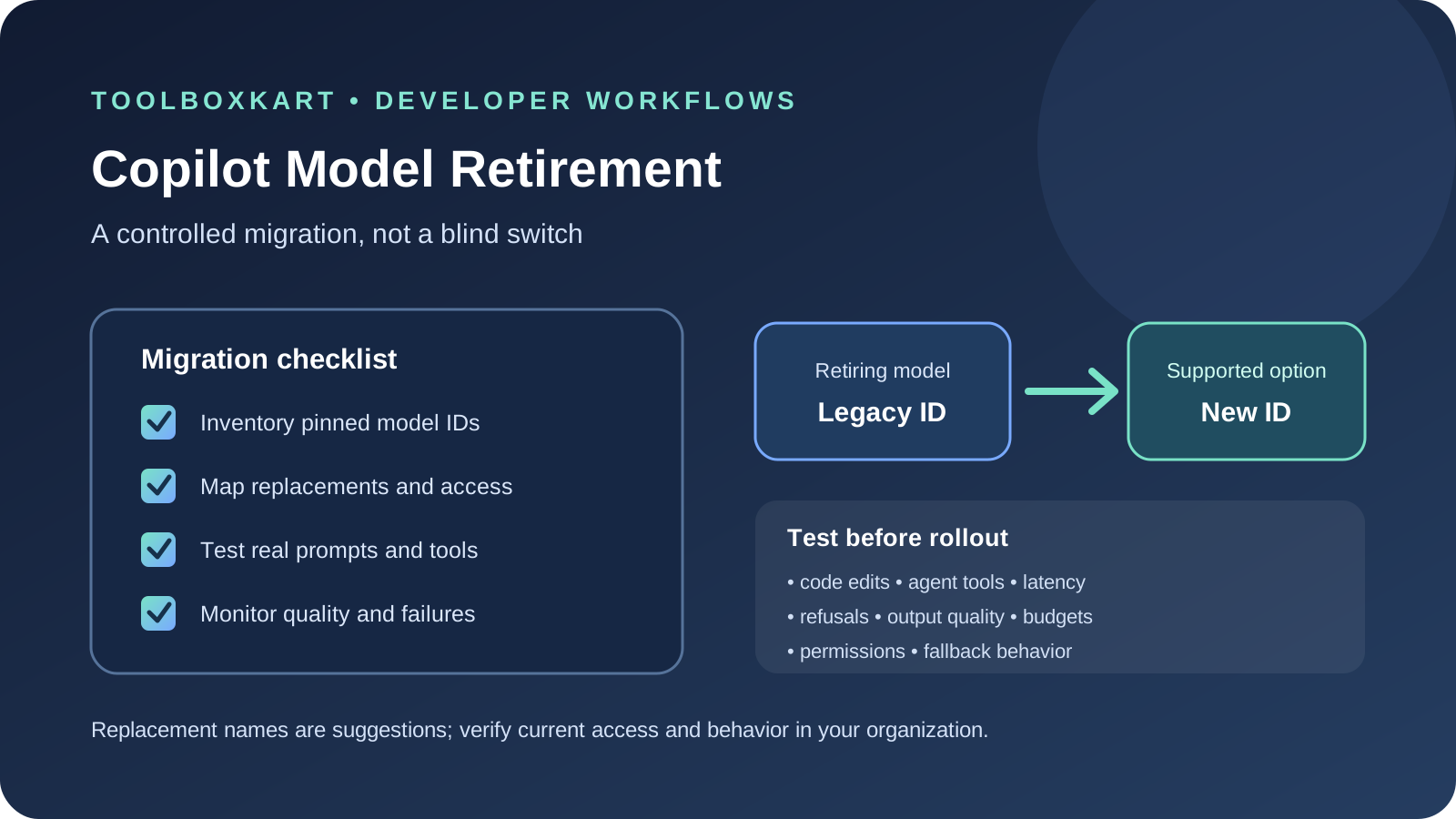
Start with an inventory. Look for explicit model selections in organization policies, repository instructions, custom agent configurations, developer documentation and team runbooks. Also ask developers whether they rely on a model for a particular task even when it is selected manually rather than configured centrally.
- Record the old model ID, where it is configured, its owner and the workflows that depend on it.
- Check the replacement is available for the team's Copilot plan and client.
- Review enterprise model policies. GitHub says replacement models may be enabled automatically under default model enablement for Business and Enterprise customers, unless administrators have changed the default or explicitly disabled the model.
- Update runbooks and internal examples so developers do not keep selecting retired names.
- Keep a record of the approved replacement and any known limitations.
Test replacements on real coding tasks
Do not validate a model switch with one easy prompt. Use a small, representative evaluation set drawn from ordinary engineering work, with private code or secrets removed before using any external evaluation process. Include tasks that expose differences in planning, code editing, debugging and tool use.
- Code understanding: ask the model to explain a change across several files and cite the relevant files or symbols.
- Targeted edits: test a bounded bug fix with expected behavior and a test command.
- Tool use: test search, terminal or agent actions in a safe repository, including denied permissions and failed commands.
- Instruction following: include a task with explicit constraints, required output format and a rule against changing unrelated files.
- Failure recovery: include incomplete context or a failing test and see whether the model asks for missing information or makes unsupported assumptions.
Score correctness and test outcomes separately from style. Track completion rate, unnecessary file changes, tool-call errors, latency, review time and any policy violations. If a model has different reasoning settings or context options, record those settings so comparisons remain meaningful.
Check more than model quality
A model replacement can affect budgets and workflow behavior even when the answers look similar. Check usage or credit consumption, response time, context limits, supported tools and any plan-specific restrictions. For coding agents, verify whether permissions, terminal access, file-editing behavior and approval prompts still match the team's security expectations.
Keep human review in place for security-sensitive code and production changes. GitHub's supported-model documentation specifically advises users to review and validate code, including security, rather than treating model output as ready to ship.
What if the suggested model is unavailable?
First confirm which Copilot client and subscription are in use. The supported-model list can differ between GitHub.com, the CLI and IDEs, and organization owners can restrict models. If a model is missing from a picker, update the relevant IDE or extension where appropriate, inspect the organization's model policy, and consult GitHub's current support documentation. Do not hard-code an alternative until you have confirmed access.
For production workflows that call AI APIs directly, keep provider-specific model IDs in configuration rather than scattering them through application code. That makes it easier to review and test a future migration, though Copilot's managed product settings are separate from a custom API integration.
Sources
- GitHub Changelog: Copilot model retirements scheduled for October 19
- GitHub Docs: Supported AI models in Copilot
- GitHub Docs: Copilot model reference