Before you look for this report, know that Search Console does not track a brand-new metric. Google grouped three existing surfaces into a single view: AI Overviews, AI Mode, and AI Overviews in Discover. These impressions always lived inside your standard performance totals. Your aggregate numbers will not change just because a new tab appeared.
Where to Find the New AI Performance Report in Search Console
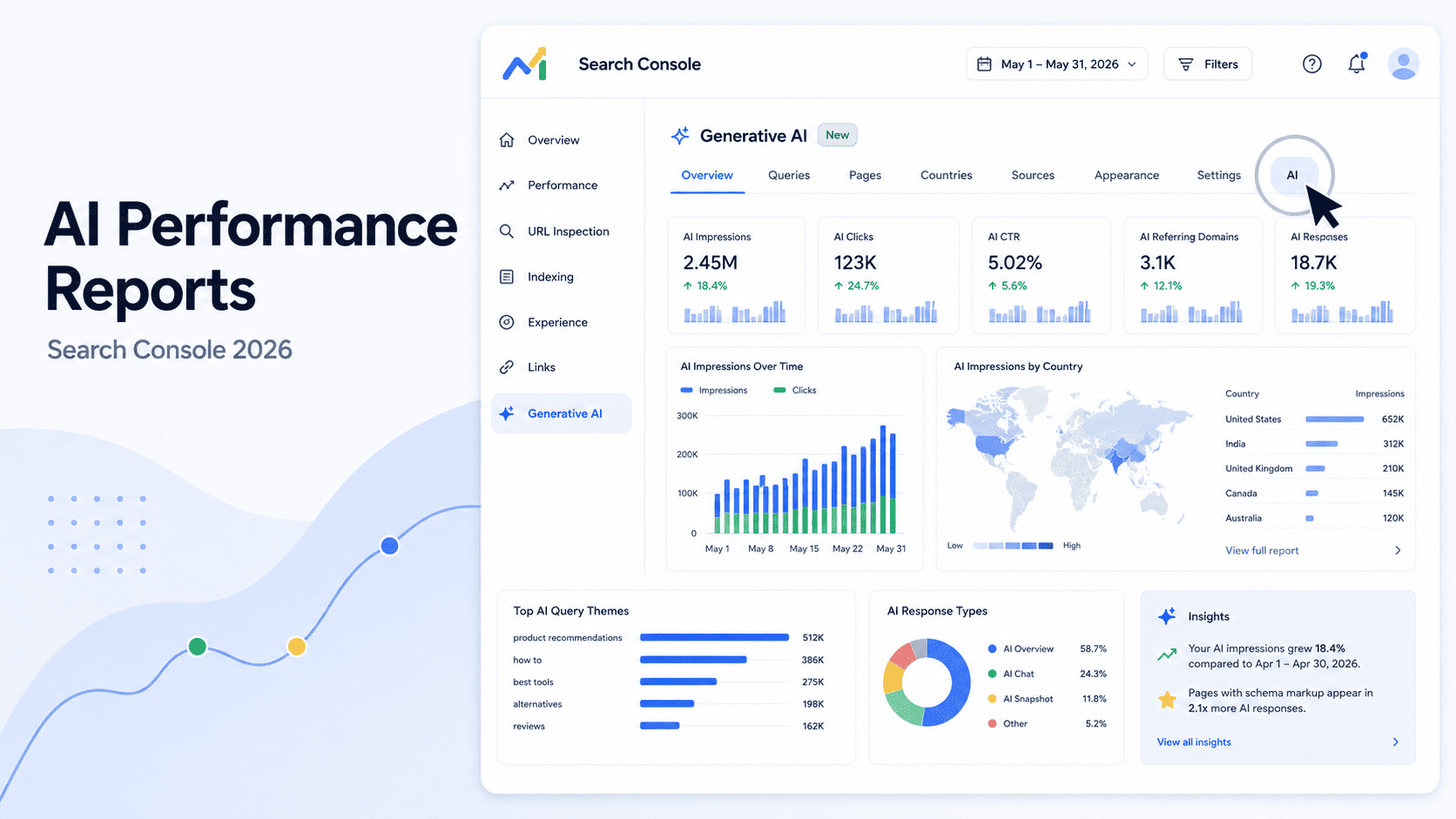
The new report currently sits inside the Performance section under Search results as a separate tab. If you do not see it, you likely face a rollout-access issue rather than a setup mistake. Hillel Maoz and Moshe Samet announced the June 3, 2026 launch via the Google Search Central Blog. The initial release targets a very specific group.
Why You Might Not See It Yet
As of publication, access remains limited to a subset of UK-based properties. Google will expand this globally soon. You must check this status regularly rather than assume it is a permanent limitation. The new AI report opt-out toggle is completely separate from your data visibility. Google confirmed the opt-out setting will not act as a ranking signal for regular Search.
How to Check If You Have Access
- Open your Google Search Console dashboard.
- Navigate to the left sidebar and click Performance.
- Look for a new tab labeled Search Generative AI performance report.
- Verify your property region settings if the tab remains hidden.
- Check back weekly as Google expands access beyond the UK.
What Metrics the Report Shows and How They Differ From Standard Organic Data
Every SEO wants to see click data first, but Google entirely omitted it from this new report. The dashboard only gives you impressions. You must learn how to read your standard Search Console performance data to understand the gap here. Google documented these specific new metrics on the Search Central Help Center in mid-2026. The platform currently tracks five distinct data dimensions.
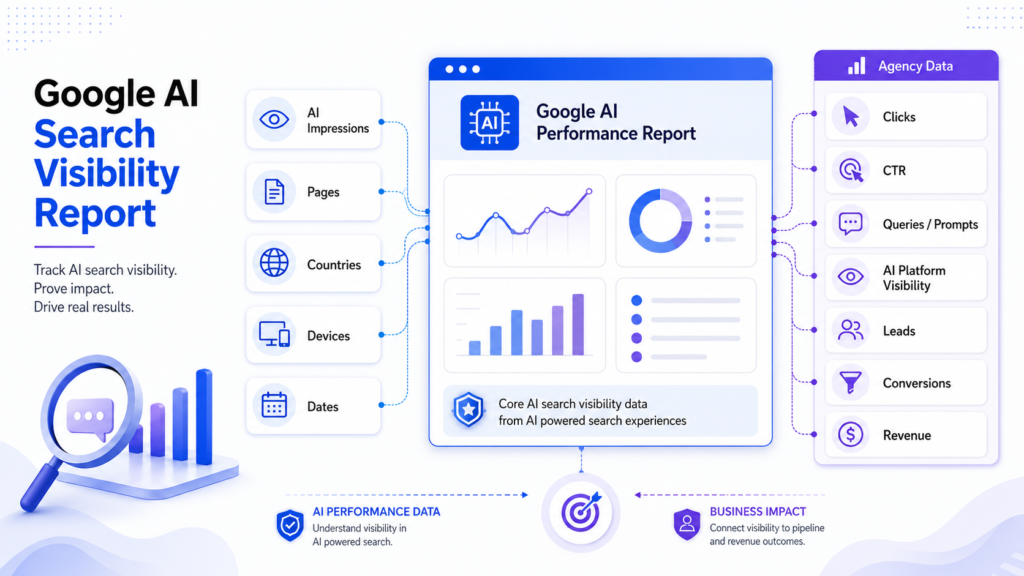
The Five Data Dimensions (Impressions, Pages, Countries, Devices, Dates)
Google tracks specific data points with clear limitations.
| Dimension | What It Tells You | What It Does Not Tell You |
| Impressions | How often your link appeared in an AI response | If the user saw or scrolled to your link |
| Pages | Which specific URLs Google cited | Which query triggered the citation |
| Countries | Geographic origin of the AI impression | Localized search volume for the topic |
| Devices | Mobile versus desktop visibility split | Format differences across device screens |
| Dates | Daily, weekly, or monthly visibility trends | Intra-day ranking volatility details |
What’s Missing — No Clicks, No CTR, No Query Data
The report lacks clicks, click-through rates, and query data entirely. You cannot see what users typed to trigger your citation. Google indicated more metrics will arrive eventually. You must rely on server logs to track actual AI-driven traffic for now.
How to Interpret AI Overview Impressions vs. Traditional Impressions
One AI Mode query can register impressions for several URLs from several different sites at once. You cannot read a single AI impression the same way you read a single blue-link impression. Google calls this technical mechanism query fan-out. The Search Central blog detailed this multi-source attribution model in 2026.
Why an Impression Here Doesn’t Mean What You Think
A traditional SERP impression means a user loaded a page containing your link. An AI Overview impression just means the generative model cited your page. The user might never expand the AI response to see your specific URL. This creates a disconnect between visibility and actual exposure.
A Simple Framework for Reading the Numbers
You need a new reasoning model to handle clickless data. First, check the direction of the trend rather than the absolute number. Second, cross-reference these new numbers with standard impressions for the same pages. Third, treat sustained AI impression growth with flat clicks as a visibility signal. It proves relevance without guaranteeing traffic.
Example Reading — Rising AI Impressions, Flat Clicks
You look at your dashboard and see a 40 percent spike in AI impressions. Your standard click metric remains completely flat over the same week. This means the model trusts your content as a source. It also means users get their answers directly from the AI snippet. You gained authority but lost the immediate click.
How to Build This Into Your Client Reporting Dashboard or Template
This data belongs as a new line item alongside existing impression and click metrics. Do not bury it in a separate tab at the end of your client deck. Clients need to see how AI visibility relates to their core traffic.
What to Add to an Existing Monthly Report
Keep your additions targeted and brief. Track your total AI Surface Impressions first. Calculate the month-over-month percentage change next. List the top three pages by AI impression share to show specific winners. Break down the data by country if the account relies on international sales.
Sample Reporting Line Format
AI Surface Impressions: [Insert Total], MoM Change: [Insert %], Interpretation: [Explain visibility vs traffic].
How to Talk to Clients About a Metric With No Click Data
Clients expect a click-through rate for every impression metric. You must explain that AI Overviews function as brand mentions. Compare the metric to traditional PR reach rather than direct response marketing. Tell them the AI cited their expertise to a user. Use a tool like readability score checker to ensure the content stays readable for these AI models.
Search Console AI Data vs. Profound and Rankscale — When You Need Both
Search Console only ever shows you Google’s surfaces. Profound and Rankscale track your visibility across other LLMs that Google ignores completely. You need to understand this gap before committing to a reporting setup. We recommend comparing AI visibility tools like Profound and Rankscale in more depth to see all features.
What Search Console Will Never Show You
Google limits its data strictly to its own ecosystem. It will never show your visibility in ChatGPT, Perplexity, or Copilot. These alternative platforms drive significant answer-engine traffic today. You miss a massive piece of the market if you only check Search Console.
Comparison Table — GSC vs. Profound vs. Rankscale
Google Search Console
- Data Source Scope: Google AI search data only.
- Click Data: Does not report AI click estimates.
- Cost: Free for all verified websites.
- Query Data: No AI prompt or query visibility.
- Best Fit: Website owners and small SEO teams.
Profound
- Data Source Scope: Tracks visibility across multiple AI platforms.
- Click Data: Provides estimated traffic and click insights.
- Cost: Enterprise-level paid platform.
- Query Data: Shows prompts that generated citations.
- Best Fit: Large enterprises and agencies.
Rankscale
- Data Source Scope: Tracks visibility across multiple AI platforms.
- Click Data: Provides estimated traffic and click insights.
- Cost: Professional paid platform.
- Query Data: Shows prompts that generated citations.
- Best Fit: Growing businesses and SEO professionals.
A Simple Decision Rule
Stick with Search Console if your traffic relies entirely on traditional Google search. Free data works fine for Google-dominant campaigns. Pay for Profound or Rankscale if leadership asks about ChatGPT or Perplexity specifically. Search Console structurally cannot answer those questions.
FAQ
limited the initial launch to a subset of UK properties. The feature remains in a phased rollout as of mid-2026. You must wait for Google to expand access to your specific region.
The report does not provide any click data. It only shows impressions for your cited URLs. Google may add click metrics later, but the current version omits them.
Yes, Google always included these impressions in your main performance totals. The new report simply filters them into a dedicated view. Your overall historical numbers remain unchanged.
Overviews appear directly in standard search results. AI Mode is a distinct, opt-in surface that passed one billion users by May 2026. The new report bundles both surfaces together under one tab.
The opt-out toggle stops Google from showing your content in AI summaries. It does not act as a negative ranking signal for regular search. You should only use it if you want strict control over your content.
Yes, if you need visibility data from ChatGPT or Perplexity. Search Console only covers Google products. You need third-party tools to track multi-LLM performance.
The data follows the same refresh cycle as your standard performance reports. You can view it daily, weekly, or monthly. It does not offer real-time or hourly tracking.