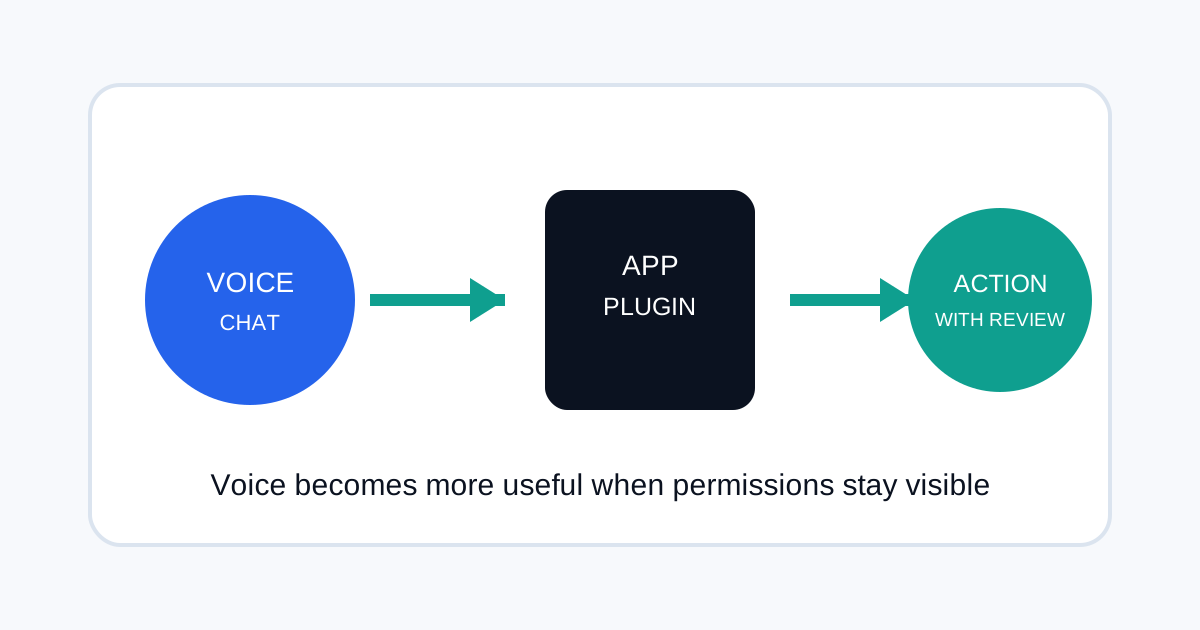
ChatGPT Voice changed on September 23, 2026: OpenAI says Voice can now use supported plugins and connected apps on web, iOS and Android. The same release note says Voice is also available in Work, where it can create documents, presentations and spreadsheets, use connected apps, or work in a browser. For teams, the important change is not simply that ChatGPT can hear you. It is that a spoken request can now reach into the same connected tools and permissions you already use elsewhere.
What changed in ChatGPT Voice
OpenAI's September 23 release note says Live now supports plugins on web, iOS and Android. It also says you can use the plugins and connected apps available to your account during a Voice conversation and continue following written responses in the chat.
That makes Voice less like a separate speech feature and more like another interface for the same connected workflow. The exact apps and permissions still depend on the account, plan and connection settings available to you.
Why connected permissions matter more with voice
Voice removes some of the friction that usually makes people stop and review an action. A typed request creates a visible record before you submit it. A spoken request can feel more casual even when it can trigger work in another application.
That is why teams should treat Voice as an interface, not as a separate trust boundary. The important questions are still the same: which apps are connected, which actions can they take, which data can they read, and which actions require a user confirmation?
A safe workflow for using Voice with connected apps
- Start with low-impact tasks. Use Voice for search, summaries, drafting and organizing before giving it access to actions that change records or send messages.
- Check the connected apps. Review the services connected to the ChatGPT account and remove ones you no longer use.
- Separate reading from acting. A workflow that can read a CRM or document store does not automatically need permission to edit, publish or delete.
- Review external actions. When a request can send an email, edit a file, create a record or trigger a workflow, treat the final action as a separate step.
- Keep important instructions visible. For recurring work, save a written workflow so another team member can audit what the voice command is supposed to do.
ChatGPT Voice in Work is a different workflow
OpenAI's release notes also describe Voice in Work on web and mobile. In that environment, voice can be used alongside Work features such as creating documents, presentations and spreadsheets, connecting apps and working in a browser.
For business users, this makes a voice request closer to a task handoff. Instead of asking for an answer, you can describe the work and then inspect the result. The safe operating model is still human review for important outputs, especially when the agent has access to company data or external systems.
What SEO teams can do with this
Voice can be useful for workflows that are easier to describe than type. For example, an SEO could explain a website issue, ask ChatGPT to turn it into a checklist, then use a connected document or spreadsheet workflow to prepare the audit output.
It is also useful for reviewing search data while moving between tools. The key is to keep source links and raw numbers available rather than treating a spoken summary as the evidence itself.
What the release does not mean
The update does not mean every ChatGPT user gets the same connected apps or the same action permissions. OpenAI states that existing app connections, permissions and usage limits continue to apply. It also does not mean every voice interaction can execute an external action without user review.
That distinction matters because the practical behavior depends on the connected service, account configuration and the action being requested.
For a broader view of connecting ChatGPT to business workflows, see How to Measure AI ROI With ChatGPT Work and Codex.
Practical takeaways
- Voice is now another way to access supported connected workflows.
- Connected apps keep their existing permissions and limits.
- Use voice for speed, but keep approval and review for high-impact actions.
- For team workflows, document what the agent may read, change and publish.
Frequently asked questions
Can ChatGPT Voice use my connected apps?
OpenAI says supported plugins and connected apps can be used during Voice conversations on web, iOS and Android. Availability depends on the apps and permissions available to your account.
Can Voice create files?
OpenAI says Voice in Work can create documents, presentations and spreadsheets. The exact actions depend on your Work access and connected tools.
Should teams allow voice actions without approval?
For low-impact work, that may be practical. For actions that send, delete, publish or modify important records, a separate human review step is safer.
Sources
- OpenAI — ChatGPT Release Notes, September 23, 2026
- OpenAI Help Center — ChatGPT product controls and access