GitHub’s October 10, 2026 Copilot for JetBrains update adds controls that matter to both developers and enterprise administrators. Teams can set a default agent model for new conversations, developers can ask Copilot to fix an issue directly from a diagnostic menu, and users can stop configured MCP servers from starting automatically. The release also improves chat navigation and account switching, while ending support for JetBrains IDE 2025.1.
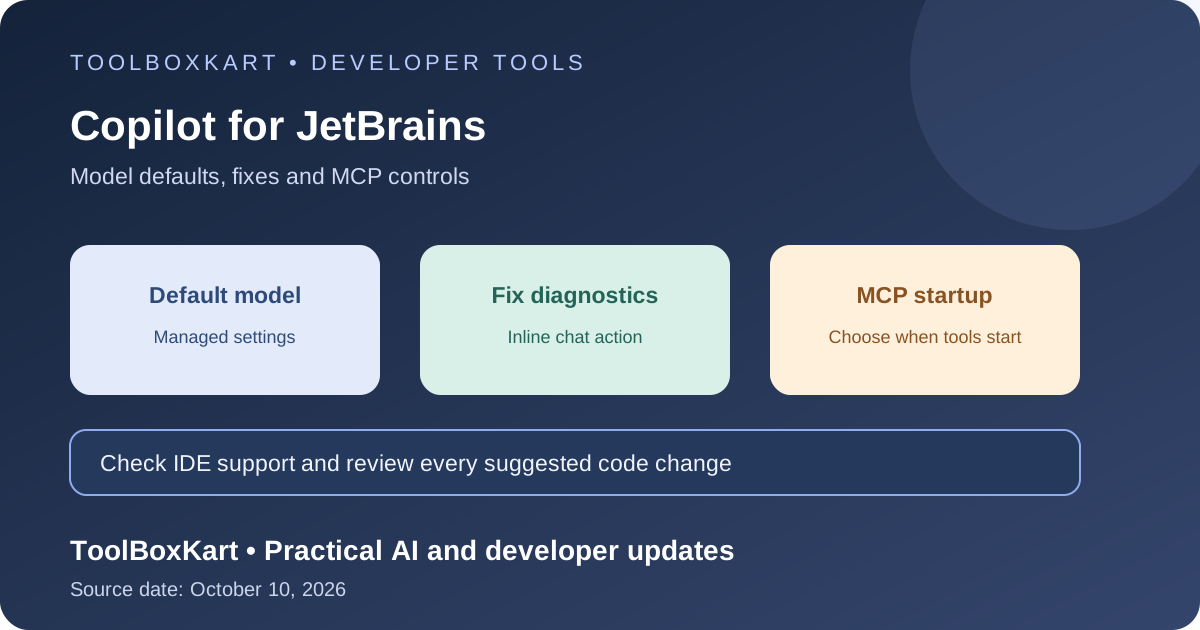
What changed in the October 10 release?
| Change | What it does | Who should check it |
|---|---|---|
| Managed default models | Enterprise administrators can choose an available Copilot agent model as the default for new conversations. | Copilot Business and Enterprise administrators |
| Fix from diagnostics | A diagnostic intention menu can open inline chat and ask Copilot to repair the reported issue. | Developers using supported JetBrains IDEs |
| MCP startup control | A setting can disable automatic startup for configured Copilot and Claude MCP servers. | Developers and teams that use MCP tools |
| Chat and account improvements | Clearer account status, easier switching, turn navigation, and copy/edit actions for user messages. | Developers managing long chats or multiple accounts |
| IDE support | JetBrains IDE 2025.1 is no longer supported; version 2025.2 or later is required. | Anyone maintaining a managed developer environment |
Enterprise admins can set a default model
Administrators can now use managed settings to select any available Copilot agent model as the default for new conversations. This helps teams set a predictable starting point for their developers, especially when they want to standardize a model for common coding work.
The setting is a default, not a rule that removes developer choice. GitHub says a developer can still make an explicit selection in the model picker. Administrators should document which models are approved for different repositories or tasks, then test the default on representative work before rolling it out broadly. Model access can still depend on the organization’s Copilot plan, policies and the models currently available in the product.
Do not choose a default based on a benchmark headline alone. Use a small set of real tasks: explain a function, make a focused change, add tests, review a pull request and handle a multi-file edit. Record correctness, review effort, latency and any extra usage cost. The best default is the model that fits your team’s work and controls, not necessarily the largest model.
Fix actions bring diagnostics into inline chat
The update adds a Fix action to diagnostic intention menus. Selecting it opens inline chat and asks Copilot to address the reported issue. GitHub says the action uses agent mode when available and ask mode otherwise.
This can reduce the number of steps between seeing a warning and asking for help. It does not mean every suggested fix is correct or safe to apply without review. A diagnostic may be incomplete, and a model can change more code than the error requires. Check the diff, run the relevant tests and confirm that the fix does not hide the underlying problem.
For teams, a useful rule is to keep the diagnostic as the starting point rather than treating it as the full specification. Ask Copilot to explain the cause, make the smallest reasonable change and add a regression test when one is appropriate. Review the result as you would any other code contribution.
MCP servers no longer have to start automatically
The new MCP setting lets users disable automatic startup for configured Copilot and Claude servers. MCP servers can expose tools and context to an assistant, so startup timing matters: a tool may be available to the model as soon as a session begins, even if the current task does not need it.
Disabling automatic startup gives developers more control over when those integrations become active. It is a useful boundary, but it is not a replacement for least-privilege permissions. A server that is started manually can still have broad access once enabled. Review the server’s tool list, credentials, filesystem or network reach, and the data it can read or change.
For enterprise use, keep a short inventory of approved MCP servers, their owners, the permissions they need and the reason they are enabled. Test what happens when a server is unavailable, and avoid putting production credentials into a development tool unless the workflow requires them and the access is properly scoped. GitHub’s MCP setup documentation explains how Copilot Chat connects to servers and how organization policy affects access.
Check the JetBrains version before rollout
GitHub’s changelog says Copilot no longer supports JetBrains IDE 2025.1 and requires version 2025.2 or later. If your team manages IDE versions centrally, check the installed version before distributing the plugin update. A plugin update cannot fix an unsupported IDE version.
For a shared development environment, test the new plugin with the IDE version, operating system and account setup used by your team. Confirm that sign-in works, the expected models appear, MCP servers follow the intended startup policy and the diagnostic Fix action opens the correct chat mode. Keep a rollback path for the plugin or IDE if a critical extension stops working.
A practical rollout checklist
- Confirm that every managed developer uses JetBrains IDE 2025.2 or later.
- Choose a default Copilot agent model based on real tasks, plan access and organization policy.
- Tell developers when they can override the default through the model picker.
- Review MCP server permissions and decide which servers should start automatically.
- Test the diagnostic Fix action on a small set of warnings and review each proposed diff.
- Verify account switching and chat navigation in multi-account or long-session workflows.
- Track failed sign-ins, model availability problems and plugin issues after rollout.
This update is separate from GitHub’s October 9 weekly roundup, which covered local sandboxing, local-model discovery and other Copilot changes. Our Copilot weekly update overview covers those releases, while the CodeQL 2.27.2 guide covers a separate change to static security analysis.
Frequently asked questions
Can an enterprise default prevent a developer from choosing another model?
The changelog describes the managed model as the default for new conversations and says an explicit model-picker choice is preserved. Organization policies and model access still apply.
Does disabling automatic MCP startup remove a server’s permissions?
No. It changes when the configured server starts. Review the server’s permissions and available tools separately.
Which JetBrains IDE version is required?
GitHub says JetBrains IDE 2025.2 or later is required because support for 2025.1 has ended.
Sources
- GitHub Changelog: New controls and chat improvements in Copilot for JetBrains (October 10, 2026).
- GitHub Docs: Extending Copilot Chat with MCP servers.
- GitHub Changelog: Copilot weekly releases — October 5 (October 9, 2026).