A robots.txt file can help control crawler access, but one wrong rule can block pages you want indexed. A useful SEO test checks the exact user-agent group, URL pattern and exceptions before the file is relied on in production.
How do you test robots.txt for SEO? Open the live file, check each rule against the URLs that matter, test Allow and Disallow interactions, and confirm that important pages are not blocked. Then use Google's current robots.txt and URL testing tools to validate the behavior you expect.
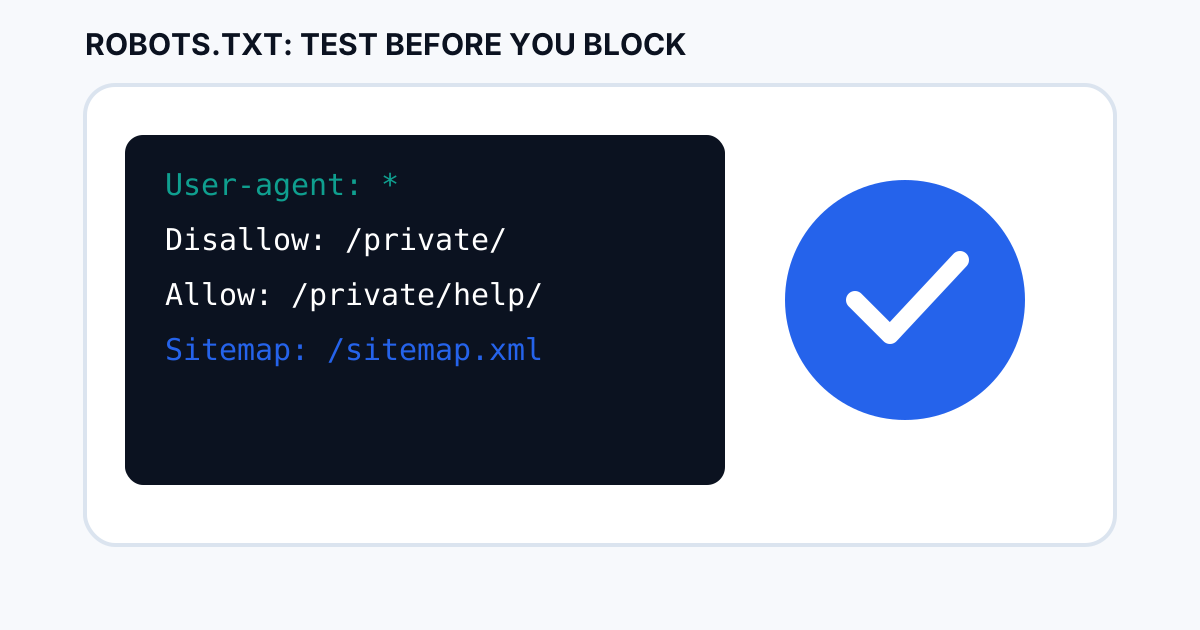
What a robots.txt test should prove
Your test should answer three questions: which crawlers see the rule, which URLs match it, and whether an exception changes the result. Do not test only the homepage. Include important templates such as product, service, article, category and resource URLs.
Start with the exact file and URL scope
The file must be available at the site root, such as https://example.com/robots.txt. Check the live version, not only a local draft, because deployment, caching or a different hostname can leave the production file different from the copy on your computer.
Check the user-agent group
Rules apply within user-agent groups. A rule aimed at one crawler may not behave the way you expect for another. Read the group from top to bottom and make sure the crawler you are testing is actually covered by the intended group.
Test Allow and Disallow together
Look for rules that overlap. An exception such as Allow: /private/help/ can be used alongside a broader blocked path, but you should test the exact URLs rather than assuming the exception works. Small path differences can change the result.
Test important URLs, not just the file
Create a short test list of real URLs: one that should be crawled, one that should stay blocked, one under a nested folder, and one that exercises any Allow exception. This catches mistakes that a visual review of the text can miss.
Use Google's current documentation and testing tools
Google provides a robots.txt report in Search Console for properties where it is available, and its documentation explains how Google interprets robots.txt. Pair that with URL Inspection when you need to investigate an individual indexed URL, because robots.txt controls crawling and is not a universal noindex mechanism.
Common SEO robots.txt mistakes
- Blocking an entire directory that contains important pages.
- Using robots.txt to try to remove an already indexed URL from search instead of using the correct indexing controls.
- Editing the wrong hostname, especially when www and non-www versions differ.
- Forgetting to update the sitemap reference after a site migration.
- Testing only a text file while never checking real URLs.
A 10-minute robots.txt test checklist
- Open the production
/robots.txt. - List the key user-agent groups.
- Pick five important URLs and five URLs that should be blocked.
- Test every matching Disallow and Allow rule.
- Check nested paths and exceptions.
- Confirm the sitemap URL is correct.
- Review Search Console reports for unexpected crawl issues.
- Re-test after every material robots change.
Use the ToolBoxKart Robots.txt Generator
For a clean starting point, use the ToolBoxKart Robots.txt Generator. Generate the file, review every rule, then test it against real URLs before deploying it.
Related ToolBoxKart guides
For canonical controls, read canonical tags for faceted navigation SEO. For sitemap checks, use how to validate an XML sitemap before publishing. For individual indexing diagnosis, see Google Search Console URL Inspection for SEO. For redirect paths, read how to check redirect chains for SEO.
Frequently asked questions
Can robots.txt remove a page from Google?
Robots.txt is primarily a crawling control. It should not be treated as a general noindex replacement for pages that need removal from search.
Should every important page be allowed?
Important indexable pages should not be accidentally blocked. Test representative URLs from every important template and folder.
Should I test robots.txt after every change?
Yes. Re-test the affected URL patterns and a few unrelated important pages after a material rule change.
Sources
- Google Search Central — Introduction to robots.txt
- Google Search Central — Robots.txt specification
- RFC 9309 — Robots Exclusion Protocol