An XML sitemap should be treated like production code: validate it before publishing, especially after adding many URLs. A single malformed tag can stop an XML parser at the first structural error and make the rest of the sitemap unusable. Google supports XML sitemaps and recommends valid UTF-8, absolute URLs and a sitemap placed at the site root.
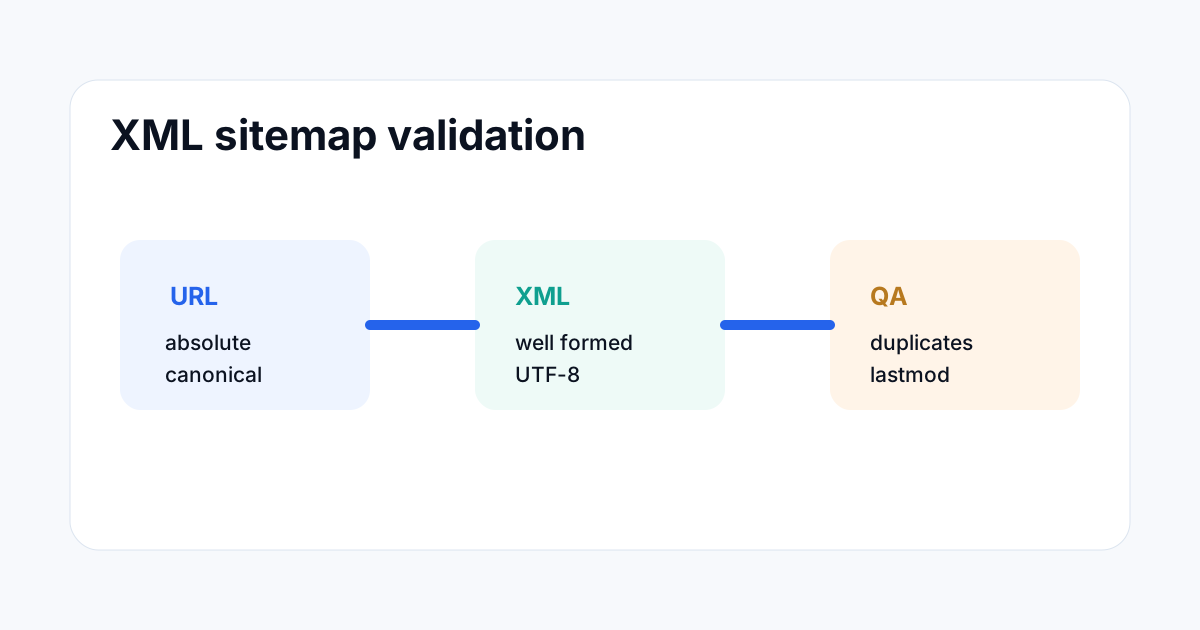
What an XML sitemap must contain
An XML sitemap uses a <urlset> root element with the sitemap namespace. Each page is represented by a <url> element containing a required <loc> URL. Optional fields such as <lastmod>, <changefreq> and <priority> can be included when they are accurate and useful.
For ToolBoxKart, every public page should use its canonical extensionless URL. A sitemap entry should not point to a separate .php version when the public URL is extensionless.
Why malformed XML is dangerous
XML is strict. If an opening <url> tag is closed with the wrong element, or one element is left open, a parser can stop at that point. The browser may still display the start of the document, but that does not mean a search engine can process it successfully.
Typical mistakes include missing closing tags, duplicated nested tags, accidental text between elements, broken ampersands in URLs and bad edits that join two URLs into one text node.
Validate the structure before deployment
First parse the XML with a real XML parser. Browser rendering is not enough because a browser can show a partial document. A proper parser should report the exact line and column where the XML becomes invalid.
Second, inspect the root element and make sure every <url> contains a valid <loc>. Third, check that the file remains UTF-8 and that the URLs are absolute.
Validate sitemap content, not only syntax
A sitemap can be valid XML and still be poor SEO input. Check for duplicate URLs, missing important canonical pages, accidental .php links, non-HTTPS URLs when HTTPS is canonical, tracking parameters and URLs that return errors.
| Check | Expected result |
|---|---|
| XML syntax | Parser returns no error |
| Root | urlset with sitemap namespace |
| URL format | Absolute canonical URLs |
| Duplicates | No duplicate loc values |
| Status | Important URLs resolve successfully |
| Last modified | Dates reflect real changes |
Check lastmod carefully
Google says the lastmod value can be useful when it is accurate. Do not update every entry just because the sitemap file itself changed. Change the value when the page's meaningful content changed.
For a daily publishing batch, new articles can receive the real publication date. Older pages should keep their existing last modification date unless they were actually updated.
Keep the sitemap within size limits
Google's current documentation says a single sitemap can contain up to 50,000 URLs or 50MB uncompressed. Larger sites need multiple sitemap files and can use a sitemap index.
ToolBoxKart is currently far below that limit, so a single sitemap is reasonable. The important issue today is correctness, not splitting the file prematurely.
Use Search Console after deployment
After the sitemap is live, submit it in Search Console or make sure it is discoverable through robots.txt. Google treats sitemap submission as a hint, not a guarantee that every URL will be crawled or indexed.
Search Console can then show sitemap processing status and related errors. For a specific new URL, the URL Inspection tool can test whether the live page may be indexable and can show Google's indexed information when available.
How to prevent sitemap errors during daily publishing
Do not build the sitemap by string concatenation without validation. Keep one helper or controlled format for URL blocks. Before committing, parse the finished XML and verify that the count of <url> and <loc> values matches what you expect.
For a nine-article batch, also compare the nine new slugs against the nine new sitemap URLs. This catches a common failure where the article file exists but the sitemap entry uses a different slug.
A practical pre-publish checklist
- Confirm every new canonical URL.
- Add each URL once.
- Use absolute HTTPS URLs.
- Set truthful
lastmoddates. - Parse the finished XML with an XML validator.
- Check for duplicate and
.phpURLs. - Review the Git diff for accidental deletion.
- Deploy the sitemap with the rest of the batch.
- Confirm the live sitemap still parses after deployment.
Related ToolBoxKart guides
For discovering isolated URLs, read How to Find Orphan Pages with a Crawl and Sitemap. For individual indexing checks, use Google Search Console URL Inspection for SEO. For crawl control, see How to Test Robots.txt for SEO. For redirect QA, read How to Check Redirect Chains for SEO.
Frequently asked questions
Can a browser showing an XML sitemap prove it is valid?
No. Use a real XML parser or validator. A browser can show a partial rendering even when the document has a structural error.
Should every sitemap URL have a lastmod date?
It can, but the date should be truthful. Do not refresh every URL merely because the sitemap file was edited.
How many URLs can one sitemap contain?
Google's current documentation lists 50,000 URLs or 50MB uncompressed per sitemap. Larger sites should split their sitemap and use a sitemap index.
Sources
- Google Search Central — Build and submit a sitemap
- Google Search Central — Large sitemaps
- Google Search Central — Sitemaps ping and lastmod guidance