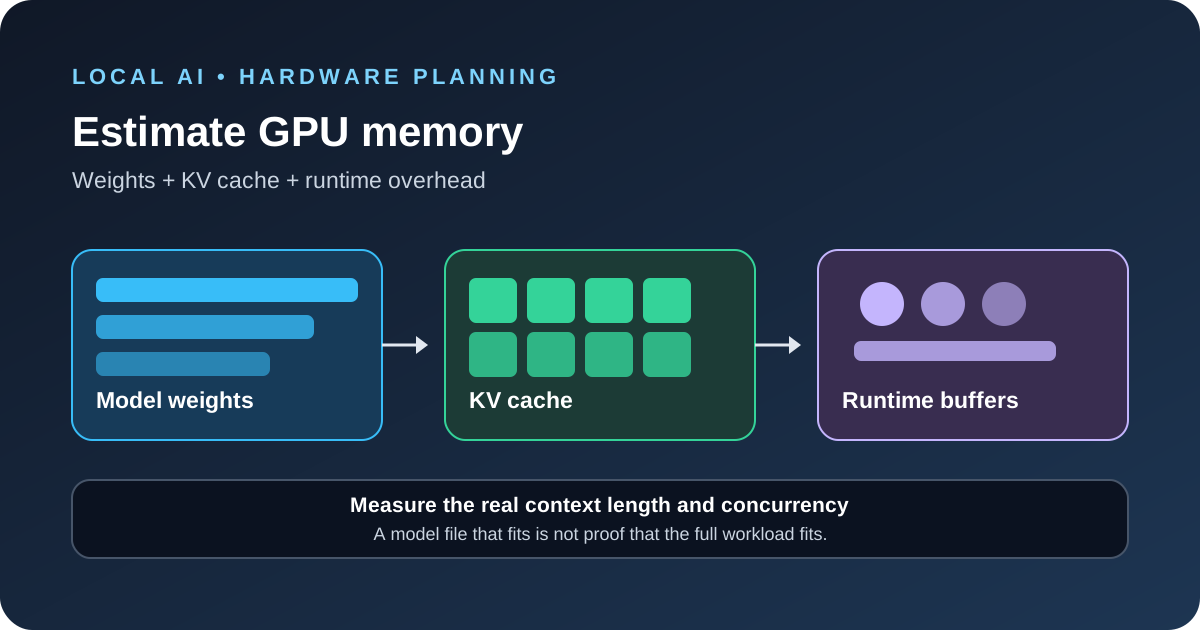
To estimate GPU memory for a local large language model, add the memory used by model weights, the key-value (KV) cache, runtime buffers and any other models loaded on the same device. The model’s parameter count is only a starting point. Quantization, context length, concurrent requests and the serving engine can change the final requirement enough to cause an out-of-memory error.
Start with the weight-memory estimate
A useful first calculation is:
Weight memory in bytes ≈ parameter count × bytes per parameter
For a dense model, the common planning values are about two bytes per parameter for FP16 or BF16, one byte for FP8 or 8-bit weights, and half a byte for 4-bit weights. Quantized file sizes are not exact multiples of these values because formats may store scales, metadata and some higher-precision values. The final runtime allocation can also differ from the model file size.
| Model size | FP16/BF16 weights only | Approximate 4-bit weights only |
|---|---|---|
| 8 billion parameters | About 16 GB | About 4 GB before quantization overhead |
| 14 billion parameters | About 28 GB | About 7 GB before quantization overhead |
| 32 billion parameters | About 64 GB | About 16 GB before quantization overhead |
| 70 billion parameters | About 140 GB | About 35 GB before quantization overhead |
These figures are decimal estimates for weights, not promises that a model will fit on a GPU with the same advertised memory. A 70B model in 4-bit format can still need substantially more than 35 GB once the KV cache and runtime are included. Mixture-of-experts models, hybrid attention designs and multimodal models also need architecture-specific checks.
Do not forget the KV cache
During generation, the model keeps key and value data for tokens already processed. This KV cache grows with context length and with the number of active sequences. It is one reason a model that loads successfully can still fail when a long prompt or several simultaneous requests arrive.
For a conventional attention model, a useful estimate for one sequence is:
KV cache bytes ≈ 2 × layers × KV heads × head dimension × bytes per value × context tokens
The factor of two accounts for keys and values. Use the number of key-value heads, not the total query-head count, when the model uses grouped-query attention. Multiply by the number of active sequences for a simple estimate of concurrent requests. Hybrid attention, sliding-window layers and compressed cache formats can change the result, so use the model architecture and serving engine’s actual configuration when available.
A worked example for an 8K context
Suppose a model has 32 attention layers, eight KV heads and a head dimension of 128. If its cache values use two bytes each, an 8,192-token sequence needs roughly one GiB of KV cache:
2 × 32 × 8 × 128 × 2 bytes × 8,192 tokens ≈ 1 GiB
Four concurrent sequences at the same context length would need roughly four GiB of cache under these assumptions. This is an illustrative architecture, not a universal estimate for every 8B model. Always check the model’s actual layer count, KV-head count, head dimension and cache type.
Now consider a quantized model file of about 4.8 GB. With four such sequences, a rough first budget might be 4.8 GB for weights, 4 GB for cache, and another 2–4 GB or more for runtime buffers and other allocations. That puts the total near 11–13 GB before you add a sensible safety margin. A 12 GB GPU would be a risky choice for this example even though the model file is under 5 GB.
Budget for runtime overhead and other processes
Serving engines need memory beyond the model and cache. Depending on the stack, this can include CUDA context, activation buffers, graph capture, communication buffers, adapters, vision encoders, memory allocator fragmentation and other resident models. The GPU driver and desktop applications can also use part of the advertised VRAM.
NVIDIA’s NIM documentation separates weight memory from KV cache, activations, communication buffers and other runtime allocations. It also notes that memory settings and the serving profile affect how much cache can be allocated. Treat a calculator as a planning tool, then confirm the real allocation from your runtime logs.
- Leave headroom instead of planning to use every last megabyte.
- Check whether the GPU is shared with a desktop, browser or another inference process.
- Include embedding, reranking, vision or draft models if the application loads them too.
- Use the model file and runtime configuration you actually intend to deploy, not a similarly named checkpoint.
Understand what quantization changes
Quantization reduces the number of bits used to store weights, which can make a larger model fit in less memory. It can also affect output quality and speed. The exact trade-off depends on the model, quantization format, hardware and task. A smaller file is not automatically the best choice if it causes more mistakes on your real workload.
Quantizing the weights does not automatically shrink the KV cache. Some engines support lower-precision cache storage, but the option must be supported by the model and runtime and should be tested for quality. Measure the actual configuration instead of assuming that a 4-bit model uses one quarter of the total VRAM of an FP16 model.
Choose the right runtime and test the real workload
Local runtimes differ in how they load models, place layers on GPUs, allocate context and share memory between sequences. A desktop-focused runtime may prioritize ease of use, while a serving engine such as vLLM exposes settings for GPU memory use, cache capacity and parallel inference. Do not copy a setting from one engine into another without checking its meaning.
Before committing to hardware, run a small test with the intended model, quantization, context length and number of concurrent users. Record memory at startup and during the longest expected request. Then test a mixed workload: short prompts, long documents, maximum output length and several requests arriving together. A successful one-line prompt does not prove that production traffic will fit.
For a hardware-focused comparison, see our NVIDIA DGX Spark 64GB guide. If you are measuring response time after the model loads, our LLM latency troubleshooting guide explains the stages to measure.
A repeatable sizing worksheet
Use the same sequence every time you evaluate a checkpoint. It makes estimates easier to compare and reduces the chance of choosing hardware based on a model’s name or file size alone.
- Record the exact checkpoint. Write down the repository, revision, parameter count, architecture, quantization format and actual file size. Two checkpoints with similar names can use different weight formats or model structures.
- Estimate weight memory. Multiply the parameter count by the approximate bytes per parameter for the chosen precision. For sharded checkpoints, add the shards or use the total parameter count once; do not count the same weights twice.
- Read the architecture config. Find the layer count, KV-head count, head dimension and any sliding-window or hybrid-attention details. These values affect the cache calculation.
- Set a real context target. Use the longest prompt the application is likely to send, not only the default context configured by the runtime. Include the generated answer when planning the total request.
- Set concurrency. Decide how many requests may be active at the same time. A local chat app with one user and a shared API server with ten active requests need different cache budgets.
- Add runtime overhead and headroom. Include other resident models and leave room for temporary allocations. Treat any fixed overhead estimate as a starting point, not a guarantee.
- Verify with the intended runtime. Start the server, inspect its logs and test the longest expected request. Replace the estimate with measured memory use when you have reliable measurements.
Keep the worksheet with the model version and runtime settings. If you change the quantization, context length, cache type or engine, rerun the calculation and test. A memory estimate is tied to a configuration; it is not a permanent property of the model name.
What changes with multiple GPUs
When a model does not fit on one GPU, an inference engine may split the model across several devices. Tensor parallelism divides parts of the model computation, while pipeline parallelism places different layers on different devices. These approaches can make larger models possible, but they introduce communication costs and configuration choices. Do not assume that four GPUs with 24 GB each behave exactly like one 96 GB device.
Check how the engine distributes weights and cache, whether the devices have a fast interconnect, and how much memory each rank reserves. If the model fits on one GPU, distributed inference may add complexity without helping. If it does not fit, the right split depends on the model, node layout and latency target. vLLM’s documentation describes single-GPU, single-node multi-GPU and multi-node approaches and recommends checking the reported KV cache capacity and concurrency after startup.
Also account for GPU-to-GPU communication and host memory. A setup with enough total VRAM can still fail if one device receives an uneven share or if a runtime allocation needs more space on a particular rank. Review per-device logs rather than relying only on the total memory shown by the machine.
System RAM, unified memory and offloading
Discrete GPUs have their own VRAM, while some systems use unified memory shared between CPU and GPU work. In a unified-memory system, the advertised RAM is not all available to the model: the operating system, applications and other processes also need it. Leave room for those uses and check the runtime’s own memory report.
Some runtimes can place part of a model in system RAM and part in VRAM. This can help a model load on hardware that would otherwise be too small, but it can reduce speed because data must move between memory domains. It is a capacity workaround, not a guarantee of acceptable interactive performance. Measure token generation speed and latency with the actual context and workload before deciding that offloading is good enough.
Diagnose out-of-memory errors by when they happen
| Symptom | Likely causes to check | First test |
|---|---|---|
| Model fails during load | Weights do not fit, wrong precision, other processes use VRAM | Check the checkpoint size and startup allocation logs. |
| Short prompts work but long prompts fail | Context or KV cache is too large | Reduce context length and compare memory use. |
| One request works but concurrent requests fail | Cache capacity or batch settings are too high | Lower concurrent sequences and retest the target load. |
| Failure occurs after enabling vision or adapters | Extra encoders, adapters or multimodal buffers need memory | Test the base model, then add one feature at a time. |
| Memory varies between runs | Other processes, allocator behavior or different runtime settings | Record the active configuration and inspect per-process usage. |
Do not fix an out-of-memory error by blindly increasing a memory-utilization setting. That can leave less space for activations or other allocations and make the failure more likely. Use the engine’s documented controls, change one variable at a time and rerun the same test set.
Before you download or deploy a model
- Confirm the license permits the intended use.
- Check the model card for the exact parameter count and supported context.
- Compare the quantized file size with the weight estimate.
- Calculate cache use for the actual context and active sequence count.
- Check whether the model uses a vision encoder, adapters or other extra components.
- Reserve memory for the runtime and the rest of the machine.
- Run a startup test and a worst-case request before relying on the configuration.
- Measure quality as well as speed after changing precision or cache settings.
This process is useful when comparing local setups, from a desktop GPU to a workstation or a dedicated inference server. For a broader view of one compact AI system, see the DGX Spark 64GB overview. For cloud inference hardware, our Maia 300 article explains why memory bandwidth, networking and power matter alongside raw model capacity.
Questions developers ask
Can I run a model if its file size is smaller than my VRAM?
Maybe, but file size alone is not enough. The cache, runtime buffers, driver and other processes also need memory.
Does a 4-bit model always use one quarter of the VRAM?
No. The weight storage can be much smaller, but cache and runtime overhead remain. Quantization metadata and model architecture also affect the final size.
What should I reduce first if the GPU runs out of memory?
Check the runtime error and allocation logs first. Common options are a shorter context, fewer concurrent sequences, a smaller or more heavily quantized model, or a runtime configuration that uses less GPU memory. Test quality and speed again after each change.
Sources
- NVIDIA NIM: Troubleshooting GPU memory out-of-memory errors.
- vLLM: Parallelism and scaling.
- Hugging Face Transformers: Bitsandbytes quantization and memory use.