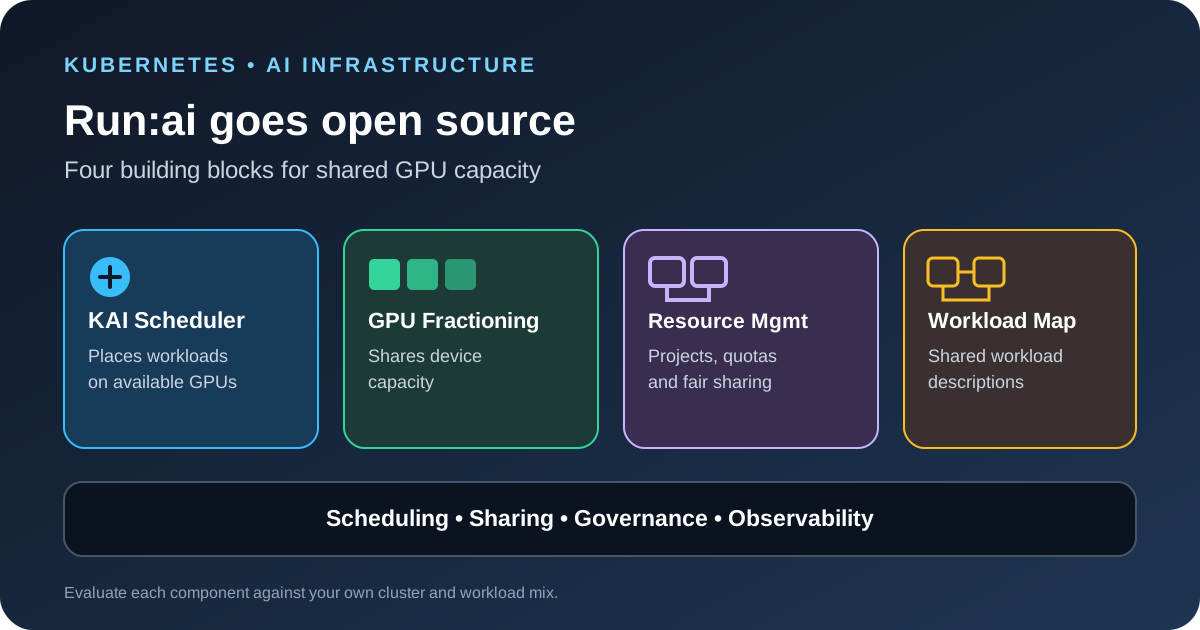
NVIDIA announced on October 13, 2026 that the full Run:ai platform is available as open-source software. The release gives teams a way to inspect and adapt the software used to schedule AI workloads and manage shared GPU capacity on Kubernetes. It includes the KAI Scheduler, GPU Fractioning Operator, KAI Resource Management and Workload Map, which can be adopted together or used as separate building blocks.
The practical change is not a new GPU or model. It is a broader option for teams that need to manage GPU access across training, development and inference workloads without building every scheduling and quota feature themselves.
What NVIDIA released on October 13
NVIDIA is publishing the complete Run:ai platform in the NVIDIA DSX AI Factory GitHub organization. Teams can review the source, contribute changes, build on the platform or select components that solve a specific problem. NVIDIA also lists the integrated platform as a Community Product in NVIDIA NGC, with a Helm chart for installation.
The platform sits on top of Kubernetes. It helps decide where GPU workloads run, how teams share capacity and how administrators track the workloads using that capacity. It does not replace Kubernetes, container runtimes or a CI/CD system. Those remain part of the wider deployment stack.
NVIDIA says the release is intended to help infrastructure teams and cloud providers improve GPU utilization and operate shared AI infrastructure. Those are vendor-stated goals, not a guarantee that every cluster will use fewer GPUs or run every workload faster. Results depend on the workload mix, cluster layout, scheduler configuration and how well teams set quotas.
The four components and the problem each solves
- KAI Scheduler: The Kubernetes-native scheduling engine handles placement, fair sharing, quotas, topology awareness and GPU-aware scheduling. It is useful when several teams compete for a shared cluster or when a distributed job needs its pods to start together.
- GPU Fractioning Operator: This component connects CUDA-native GPU fractions to Kubernetes. It can help smaller workloads, notebooks and development sessions share a GPU rather than reserving a whole device for work that cannot use all its memory. NVIDIA says the CUDA 13.4 driver enforces the memory limit for each fraction.
- KAI Resource Management: This is the organizational layer for projects, departments, resource guarantees and quotas. A platform team can define how capacity is shared instead of keeping team allocations in spreadsheets or maintaining a separate manual process for each namespace.
- Workload Map: This describes the components and roles inside different Kubernetes workload types. It gives scheduling, monitoring and platform tools a consistent way to understand jobs such as distributed training and multi-part inference without hard-coding every custom resource.
The components address different layers. A scheduler decides where work runs; resource management sets who can use capacity; GPU fractioning controls how a device can be shared; and Workload Map provides a common description of the workload. A team may need all four, but it should not install the full stack only because it is available.
Open source does not mean every support option is free
NVIDIA says the source code is governed by the applicable open-source licenses. The Run:ai repository identifies Apache License 2.0 as its main license and documents nested third-party licenses separately. The KAI Scheduler is also under Apache 2.0 and has been contributed to the Cloud Native Computing Foundation as a Sandbox project. Check the license file for each component and any bundled dependency before redistributing a customized build.
The NGC Community Product does not require a paid Run:ai subscription or NVIDIA support entitlement, according to NVIDIA. Enterprise support is not included with that community offering. NVIDIA continues to offer supported commercial Run:ai options, and availability, licensing and support terms vary by offering. Teams should separate the right to inspect or use the source from the support level they need for production.
Open source also does not remove the work of operating the system. Teams still need compatible Kubernetes and GPU software, cluster access controls, upgrade testing, monitoring and an owner who can respond when scheduling or capacity policies cause problems.
When the modular approach makes sense
A large shared GPU cluster has different needs from a small development environment. If a company runs separate research, fine-tuning and inference teams on the same Kubernetes fleet, it may benefit from scheduling policies and quota hierarchies. If the main problem is small jobs leaving GPU memory unused, GPU fractioning may be the first capability to evaluate. If internal tools struggle to understand several custom workload types, Workload Map may be useful without adopting the whole platform.
For example, a platform team could reserve a defined share of GPU capacity for a research group while allowing other teams to use idle capacity under a fair-share policy. A separate policy could allow development notebooks to use fractions of a GPU while keeping larger training jobs on full devices. The exact policy needs to reflect service commitments and workload behavior; the example is a design pattern, not a preset supplied by NVIDIA.
Teams that run one project on dedicated GPUs may not need a new orchestration layer. Kubernetes scheduling and existing monitoring can be sufficient when there is little contention, no need for cross-team quotas and no complex workload placement requirement.
A safe evaluation plan for platform teams
- Map the current workload mix. Record which teams run training, batch inference, online serving, notebooks and multi-component jobs. Note the GPU types, memory needs and scheduling constraints for each.
- Measure the current baseline. Capture GPU utilization, queue time, job completion time, failed placements and the time required to load model weights. Do not use utilization alone as a success metric; a busy GPU can still be serving work with poor latency.
- Choose one component first. Test the scheduler, fractioning operator, resource-management layer or workload contract against the specific gap you found. A narrow pilot makes failures easier to diagnose.
- Test isolation and failure behavior. Check what happens when a job exceeds its request, a node becomes unavailable, a quota is exhausted or two teams submit work at once. Confirm that one tenant cannot consume resources reserved for another.
- Compare equivalent workloads. Use the same model, inputs, batch sizes, concurrency and hardware when comparing results. Track throughput and latency along with utilization and queue time.
- Plan updates and support. Pin versions, test upgrades in a non-production cluster, review license obligations and decide whether community support is enough for the service you operate.
GPU sizing also matters before scheduling decisions can help. Our guide to estimating GPU memory for local LLM inference explains why weights, the KV cache and runtime overhead all affect placement. For teams diagnosing slow responses, the LLM API latency guide covers the measurements needed to separate model time from queueing and other delays.
What remains unclear
The announcement does not mean every component is a drop-in replacement for every existing Kubernetes scheduler or GPU-sharing setup. Teams should review the component documentation, supported Kubernetes and driver versions, deployment requirements and license terms before planning a migration. They should also verify which features are included in the community distribution versus a supported commercial offering.
NVIDIA has described the architecture and the available components, but the benefits for a particular organization need to be measured on its own workloads. The useful starting point is a narrow test with a clear baseline, a rollback plan and a security review of the control plane.
Sources
- NVIDIA Technical Blog: NVIDIA Run:ai is now open source.
- NVIDIA Run:ai source repository and license.
- KAI Scheduler source repository.
- NVIDIA NGC Run:ai collection.