To keep a multi-step AI agent within its context window, budget tokens for instructions, tool definitions, conversation history, retrieved documents, tool results, reasoning and the final response before the workflow grows. The model’s context limit covers more than the latest user message. Long tool outputs and old conversation turns can consume the space needed for the agent to finish its task.
Know what counts toward the context limit
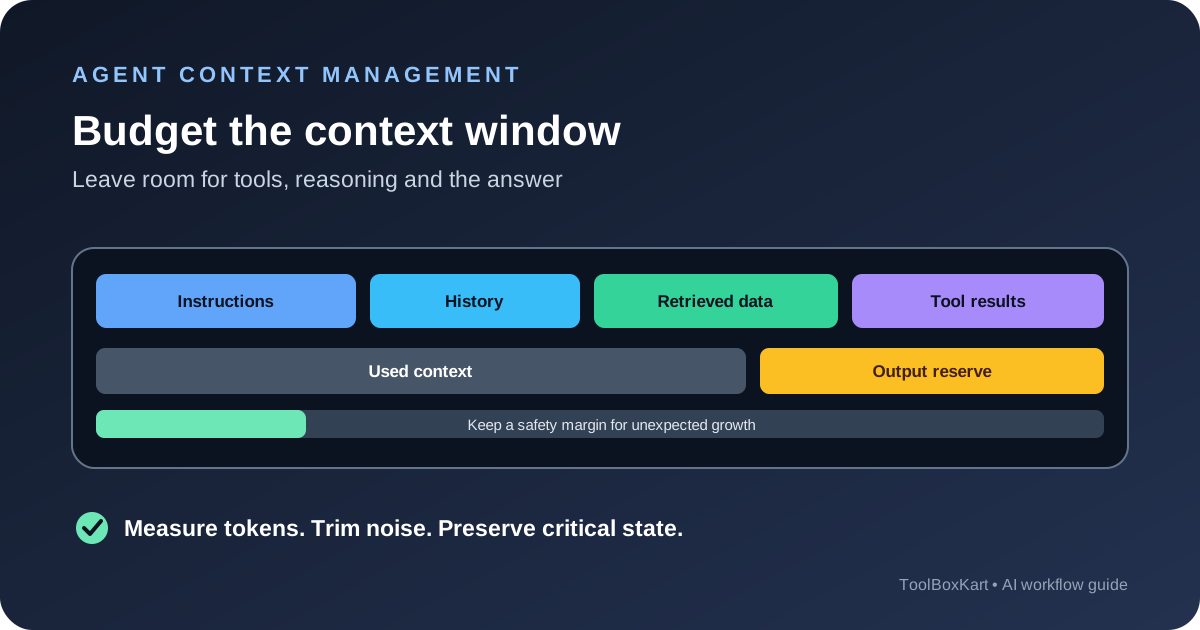
A context window is the total token capacity available to a request. Depending on the model and API, it can include system and developer instructions, tool definitions, the current request, prior messages, retrieved documents, tool outputs, generated output and reasoning tokens. Some providers expose separate output limits as well, so a request can hit one limit before the other.
Do not assume that a large advertised context window removes the need for planning. A long-running agent can repeatedly append search results, file contents, database rows and intermediate summaries. Even if each step is small, the accumulated state can crowd out the instructions or the output needed to complete the job.
Make a token budget before the agent starts
Start with the model’s documented limits, then estimate the fixed and variable parts of the request. The following is an illustrative budget for a 32,000-token context window, not a provider recommendation:
| Request component | Budget | Control |
|---|---|---|
| System and developer instructions | 2,000 tokens | Remove duplicate rules and unused tool descriptions. |
| Current user request | 1,000 tokens | Validate and trim unnecessary input. |
| Conversation history or state summary | 5,000 tokens | Keep recent turns and a concise summary of older work. |
| Retrieved documents | 8,000 tokens | Retrieve relevant passages, not entire collections. |
| Tool results | 4,000 tokens | Return only fields the next step needs. |
| Visible answer reserve | 3,000 tokens | Leave enough space for the requested output. |
| Reasoning and formatting reserve | 3,000 tokens | Check model-specific accounting and output limits. |
| Safety margin | 6,000 tokens | Absorb token-estimation errors and unexpected tool output. |
| Total | 32,000 tokens | Adjust after measuring real requests. |
The split should change with the task. A document-review agent may need more room for evidence, while a coding agent may need more room for tool schemas, file snippets and the final patch. Keep a safety margin rather than planning to fill the entire window on every request.
Measure tokens instead of counting words
Words are a rough guide only. Code, identifiers, JSON, URLs and non-English text can tokenize differently from ordinary prose. Use the tokenizer or token-counting API supported by your provider on representative inputs, including tool definitions and retrieved content.
OpenAI documents an input-token counting endpoint for the Responses API. Count the actual input before sending a large request, then use response usage data to compare the estimate with the real request. Include the model, input shape and tool configuration in the test because changing any of them can change the count.
Keep the input count and the output allowance separate in your own budget. A provider’s output limit may include non-visible reasoning or formatting tokens, depending on the model. Reserve room for the answer you need, and inspect finish or stop reasons so an incomplete response is not mistaken for a complete one.
Control the biggest sources of context growth
Trim tool results at the source
Do not return a full database table or entire file when the next step needs only a few fields. Filter, paginate and summarize in the tool implementation. For code analysis, return the relevant function, surrounding lines and file path instead of dumping a whole repository into the conversation.
Retrieve only the passages that answer the question
For retrieval-augmented generation, use query-aware retrieval and a bounded number of passages. Remove duplicate chunks, keep source metadata and prefer evidence that directly supports the task. Increasing the number of retrieved chunks can add noise as well as tokens, so measure answer quality instead of assuming that more context is always better.
Summarize older history without losing critical state
When a task spans many steps, keep a compact state record containing the goal, decisions, completed work, open questions, important evidence and next action. Replace verbose old tool outputs with summaries, but preserve exact identifiers or source references that the agent must use later. Do not summarize away safety rules, unresolved errors or user constraints.
Keep tool descriptions focused
Tool schemas and descriptions are part of the model’s input. Expose only the tools needed for the current task and keep descriptions clear. A large collection of unused tools consumes context before the agent begins, and broad tool access can increase the number of possible failure paths.
Use compaction and external state carefully
For long-running work, store durable state outside the conversation and bring back only what is needed for the next step. This can be a structured task record, a file containing a plan, a database checkpoint or a summary generated after a verified milestone. Keep the source of truth separate from the model’s narrative about what it believes it completed.
Some APIs and agent frameworks support compaction or conversation-state management. Test how your provider handles previous responses, stored conversation items and compaction. In the OpenAI Responses API, previous input tokens in a response chain can still count as input usage even when you continue with a previous response ID. Do not assume that carrying a response ID makes earlier context free or removes it from token accounting.
Prompt caching can reduce repeated processing cost or latency when the stable prefix matches the provider’s rules, but it does not increase the model’s context limit. Keep stable instructions together where appropriate and avoid changing their order without a reason. Caching and context budgeting solve different problems.
Monitor context use in production
Track input tokens, output tokens, tool-result size, context-related errors, truncation or stop reasons, number of agent steps and task completion rate. Break the metrics down by workflow and model. If context errors rise, inspect which component is growing instead of raising the limit blindly.
- Test short and long requests, including worst-case retrieved documents.
- Test repeated tool calls and the largest expected tool response.
- Check what happens when the model refuses, times out or reaches an output limit.
- Verify that compaction preserves the goal, safety rules and key evidence.
- Set a maximum number of steps and a fallback when the task cannot fit.
For surrounding reliability work, see our LLM streaming guide and structured JSON validation guide. For a wider evaluation plan, read our AI agent evaluation workflow.
Budget context by phase, not only by request
A multi-step agent does not use its context in one fixed way. The first call may need the user request, instructions and tool definitions. A later call may need a search result, a file excerpt or a database response. The final call needs room to combine the evidence and produce the requested answer. Set a budget for each phase so one large tool response does not consume all the space reserved for the final step.
For example, a research agent can reserve a fixed amount for instructions and the user goal, limit each search result to the most useful fields, keep a compact state summary between steps and cap the final answer size. If the evidence exceeds the retrieval budget, the agent should narrow the search or summarize the evidence with source references instead of passing every result forward.
Worked example: a multi-step research agent
Imagine an agent that must compare three products, check their documentation and prepare a short recommendation. Its first step loads the task instructions and a list of allowed tools. The next step retrieves product pages. A third step opens the most relevant sections and records source URLs. The agent then compares the evidence and prepares the recommendation.
The main risk is not the original question; it is the growth of the intermediate results. If every tool returns a full page, every later step carries those pages forward, even when only two or three facts matter. A better design extracts the product name, version, price or feature under review, the relevant passage and the source URL. It stores the longer page outside the conversation and passes a short evidence record to the next step.
After each phase, update a state record with the question, findings, sources, unresolved points and next action. Keep the original source available for verification, but do not keep repeating the entire source text in every request. This makes the agent easier to audit and reduces the chance that an important instruction is buried in old output.
Set limits for each step and for the complete task. For example, stop after a fixed number of search calls, require the agent to ask for help when evidence remains incomplete, and reserve enough space for the final comparison. If a step needs more context than planned, let it request a narrow follow-up rather than silently dropping the final answer budget.
Choose the right context-management method
| Method | Use it when | Watch out for |
|---|---|---|
| Retrieval | The agent needs only a few relevant passages from a large source | Missing evidence, duplicate chunks or poor source selection |
| Summarization | Older steps contain useful findings that no longer need full detail | Losing exact values, caveats or source references |
| Compaction | The framework can compress conversation state before continuing | Assuming the summary preserves every detail without testing |
| External state | The task has a plan, checklist, large file or durable intermediate result | Letting the summary replace the actual source of truth |
| Tool-result filtering | The tool returns much more data than the next step needs | Removing a field that is required for a later decision |
These methods solve different problems. Retrieval selects evidence from a larger collection. Summarization reduces the amount of old conversation that must be repeated. Compaction is a framework or provider mechanism for managing state. External storage keeps durable artifacts outside the prompt. Use the smallest method that preserves what the next step needs, and test it against tasks with known correct outcomes.
Plan for context-limit failures
Define what the application should do when a request is too large. It may reduce the number of retrieved passages, summarize completed steps, ask the user to narrow the task or split the work into smaller stages. The correct response depends on whether the missing context is optional or essential to a safe answer.
Do not silently remove the oldest messages if they contain the task goal, user constraints, source references or decisions that must remain valid. A state summary should preserve those items explicitly. If the agent cannot retain the evidence needed for a reliable result, it should stop and explain what information is missing rather than inventing a conclusion.
After a compaction or summary step, run a small continuation test: ask the agent to state the current goal, key constraints, verified findings and next action. Compare that state with the original task record. This does not prove every detail survived, but it can catch a missing goal or a lost decision before the agent continues.
Measure context efficiency alongside task quality
Track how many input tokens are used for instructions, history, retrieved evidence and tool outputs where your provider exposes enough detail. Compare those counts with task completion, answer quality, latency and cost. A smaller prompt is not automatically better if it causes the agent to repeat tool calls or miss evidence. The useful target is the least context needed to complete the task reliably.
Review the largest requests after a failure. Look for repeated content, broad tool responses, duplicated retrieved passages, long tool descriptions or a state summary that has grown without a clear purpose. Make one change, rerun the same evaluation cases and confirm that the agent still preserves the required facts and constraints.
Questions developers ask
Does a bigger context window always improve an agent?
No. It provides more capacity, but irrelevant or duplicated context can still distract the model, increase cost and slow requests. Retrieval and state management remain important.
Does prompt caching increase the context window?
No. Caching may reduce repeated processing cost or latency, but the request still has to fit the model’s context and output limits.
Should I remove old messages when the budget is tight?
Do not drop messages blindly. Summarize completed work, preserve the current goal and critical evidence, and keep exact identifiers needed for later actions. Test the summary against known tasks.
Sources
- OpenAI API: Conversation state and context windows.
- OpenAI API: Counting tokens.
- Anthropic: Prompting best practices and multi-window workflows.
- NVIDIA NIM: Memory limits for LLM inference.