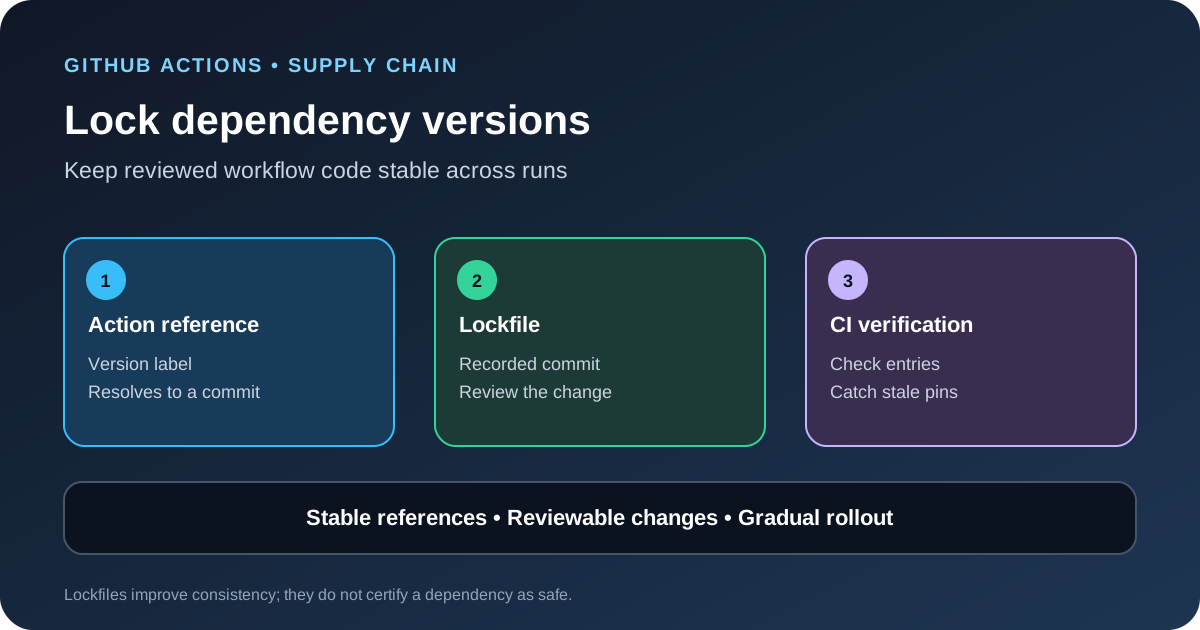
GitHub announced on October 14, 2026 that workflow dependency lockfiles are in public preview for GitHub Enterprise Cloud, including the data-residency offering. The feature records the exact commits used by actions and reusable workflows so a later run does not silently follow a moved tag or branch. It adds a reviewable control to the build process, but it does not prove that a dependency is trustworthy or remove the need to review code before pinning it.
What the preview changes
A GitHub Actions workflow often refers to an action by a tag, such as a version label, or by a branch. Those references are convenient, but a tag or branch can point to a different commit later. If the upstream repository is compromised or a maintainer moves a reference, a workflow may run code that was not present when the original change was reviewed.
The new lockfile records the commit behind each dependency. GitHub says the generated file covers actions, transitive dependencies and reusable workflow dependencies. The default location is .github/workflows/actions.lock. Once a workflow is onboarded, GitHub Actions uses the recorded commits for its dependencies rather than resolving moving references at run time.
The feature is designed to be adopted one workflow at a time. Teams do not have to lock every workflow in one large change, but they do need a clear process for keeping the lockfile aligned with changes to workflows and local actions.
Why a pinned dependency is easier to review
A pinned commit makes the code choice explicit. Reviewers can compare the old and new commit IDs in a pull request and decide whether the dependency change is expected. Without that record, a workflow can change behavior because an upstream tag moved, even when the workflow file in the application repository did not change.
This is a supply-chain control, not a code-quality score. A malicious or vulnerable action can be pinned perfectly. Lockfiles help keep the reviewed version stable; they do not replace dependency review, permission limits, runner isolation, secret protection or testing. Treat the lockfile as one layer in the workflow security model.
Who can use it now
GitHub announced the public preview for GitHub Enterprise Cloud and GitHub Enterprise Cloud with data residency. The Require lockfile policy is also in public preview. Do not assume the same enterprise controls are available to every plan or to GitHub Enterprise Server. Confirm current eligibility in the product documentation before planning an organization-wide rollout.
GitHub provides the gh actions-lock extension for the GitHub CLI. It can generate a lockfile, verify whether entries are current, and help teams adopt locking gradually. The official setup guide also describes pre-commit verification, pull-request checks and Dependabot integration.
Roll it out without breaking builds
- Inventory the workflows. List the workflows, reusable workflows and local actions that run in production. Identify which repositories deploy software, access cloud credentials or publish packages. Start with the workflows whose failure or compromise would have the largest impact.
- Review the existing references. Check that every action points to a version the team intends to use. Do not lock a dependency just because it currently resolves. Read its release notes, inspect the upstream repository and confirm the requested permissions.
- Generate the lockfile. Install the official
gh actions-lockextension and create the lockfile for a small pilot. Commit the workflow and lockfile changes together so reviewers can see which dependency references changed. - Add verification. Run the lock command in a pull-request check and fail the check when a lockfile is stale or incomplete. A local pre-commit check can provide earlier feedback, but it does not replace server-side enforcement.
- Require review. Add the lockfile to
CODEOWNERSand require an appropriate reviewer for changes. A changed commit ID is a meaningful code change even when the workflow YAML looks almost the same. - Expand in stages. Test builds, releases, scheduled jobs and reusable workflows. Watch for legitimate workflows that were missed, then widen the policy only after the update process is reliable.
Keep lockfiles current
Locking only helps when the file stays in sync. GitHub documents a Dependabot integration that regenerates the matching lockfile entry when Dependabot updates an action in a workflow that is already onboarded. Dependabot does not automatically onboard workflows that have no lockfile entries, so teams still need a way to cover new workflows.
For a stronger process, trigger a lockfile update check when workflow files or local action definitions change. Verify the result in pull requests and avoid manually editing commit IDs without reviewing the dependency change. If the check needs write access to update a file automatically, scope that permission to the repository and branch policy involved.
Measure adoption, not just enforcement
For a rollout dashboard, track the number of eligible workflows, the number onboarded, the percentage passing lockfile verification and the age of unresolved lockfile changes. A high compliance rate is useful only when it represents workflows that actually run in production. Separate a workflow that is intentionally out of scope from one that was missed.
When a dependency update changes a commit, compare the upstream release notes and the diff before approving it. If the new version needs different permissions or environment variables, update those controls in the same reviewed change. A lockfile is most valuable when it makes dependency changes visible to the people who understand the build.
What lockfiles do not solve
- Unsafe dependencies: A pinned action can still contain vulnerable or malicious code. Review before pinning and continue monitoring upstream advisories.
- Excessive workflow permissions: A trusted action can do more damage when the workflow gives it broad repository or cloud access. Use least-privilege tokens and short-lived credentials where possible.
- Compromised runners or secrets: A lockfile does not protect a runner that is already compromised or prevent a workflow from exposing a secret through its own logic.
- Unreviewed lockfile changes: If reviewers approve every dependency update without reading the diff, the lockfile becomes bookkeeping rather than a meaningful control.
For related controls, our guide to GitHub push attribution explains why the authenticated pusher is different from the name written in commit metadata. Teams that use coding agents should also review the permissions they expose through MCP servers and keep agent workflows narrow. For orchestration patterns, see our GitHub Copilot dynamic workflows guide.
Sources
- GitHub Changelog: GitHub Actions workflow lockfiles in public preview.
- GitHub Docs: Workflow dependency lockfiles.
- GitHub Docs: Locking action dependencies in a repository’s workflows.
- GitHub Docs: Enforcing lockfiles for action dependencies.