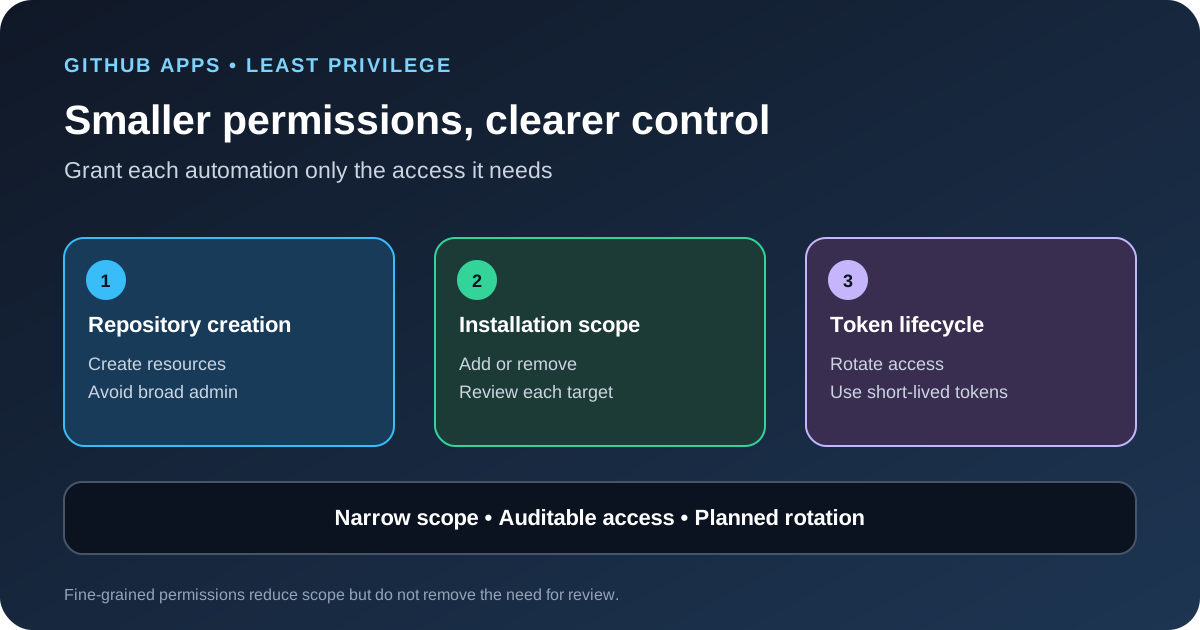
GitHub announced several GitHub Apps changes on October 13, 2026, aimed at reducing broad permission requests and improving app management. Two new fine-grained permissions separate repository creation from wider repository administration and allow more targeted management of repositories attached to an app installation. The update also adds support for the offline_access scope, expands app-to-app metadata access in defined ownership settings, and moves credentials into a dedicated tab.
The two new permissions
The first permission, repository_creation:write, allows an app or fine-grained personal access token to create a repository in the account where it has been granted access. Previously, repository creation required the broader repository_administration:write permission, which also covers other administrative operations such as deleting or transferring a repository. Separating these tasks gives administrators a narrower option when an automation only needs to create repositories.
The second permission, installation_repositories:write, allows the caller to add or remove a repository from an installation in the organization. GitHub says the related organization-level APIs now support GitHub Apps and fine-grained personal access tokens rather than requiring the broad classic repo scope. For user tokens, the caller must also be an organization owner or an administrator on the repository involved.
These are not interchangeable permissions. Creating a repository is different from changing which repositories an installed app can access. Give each workflow only the permission needed for its job, and keep a separate approval step for actions that affect organization-wide installations.
Why this matters for least privilege
Broad permissions make automation harder to approve and increase the impact of a stolen token or a bug in the app. If a service only creates repositories, granting it permission to delete or transfer existing repositories is unnecessary. If an installation manager only needs to add a repository to an approved app, it should not depend on a long-lived administrator token with access to unrelated resources.
Fine-grained permissions reduce the size of the permission request; they do not make the automation harmless. An app that can create many repositories can still create unwanted resources, and an app that can modify installation membership can still grant access to the wrong repository. Combine scope limits with audit logs, ownership checks, rate limits and clear approval rules.
What changed for app installation management
GitHub also made it easier for repository administrators to add approved organization-installed apps to repositories in the same organization. The change does not grant the administrator new organization-level permissions; it lets them add a repository to an app that has already been approved for the organization’s existing access.
Organization owners can still restrict repository administrators from adding apps to repositories. GitHub identifies organization-level permissions, repository administration and repository creation as sensitive permission sets that require organization-owner approval. Review your current installation policy before assuming that a repository administrator can add any app.
How to plan a safe migration
- List each automation job. Write down whether the job creates repositories, changes installation membership, reads repository data, manages secrets or performs another operation. Do not start from the permissions an older token already has.
- Map API calls to permissions. Check the current REST or GraphQL documentation for every endpoint the app uses. Some endpoints require more than one permission, and the effective access of a user token also depends on the user’s own permissions.
- Replace broad access in a test app. Start with a non-production installation and verify the exact API calls. A successful test for one endpoint does not prove that every background job, webhook or recovery path will still work.
- Review installation scope. Confirm which repositories the app can access and who can add or remove them. Record the owner who approves the permission and the person responsible for reviewing future changes.
- Monitor denied requests. A 403 response from a REST endpoint or an authorization error in GraphQL may indicate that a permission is missing. Add only the specific permission that is required; do not restore broad access automatically.
- Document emergency access. Define how the team revokes a compromised token, removes an app from a repository and restores access after a failed migration.
What offline_access changes
GitHub Apps now support offline_access so an app can receive a refresh token alongside an expiring user access token. This gives teams a way to test and roll out short-lived, rotating tokens gradually rather than switching every user at once. The scope affects that authentication flow; it does not replace the static permission selection configured for the app.
GitHub says this support is available in GitHub Enterprise Server 3.23. The other announced improvements are planned for GitHub Enterprise Server 3.24. Check the current release documentation before building a migration schedule for a self-hosted deployment.
Separate permission scope from token lifetime
Fine-grained permissions answer what an app can do. Token lifetime answers how long a stolen token may remain useful. Changing one does not replace the other. Review both the app’s requested permissions and the expiry and refresh behavior of each user authorization flow. Do not assume that requesting offline_access changes the static permissions selected in the app registration.
For a gradual token migration, start with a small user group, record refresh failures and expired-token errors, and define how users can reauthorize if a refresh token is revoked. Keep old and new token flows from silently sharing credentials in logs or test fixtures. The migration should be observable and reversible before it reaches every user.
Operational checks after rollout
- Review the app’s permission list against the API calls it actually makes, not only against the original product requirements.
- Log repository-creation and installation-membership changes with the actor, target repository, timestamp and request result.
- Review app ownership, private keys and client secrets on a schedule. Rotate credentials when an owner leaves or an exposure is suspected.
- Test the failure path. Confirm the app handles a missing permission without requesting an administrator token as a shortcut.
- Document who can approve new permissions and how an installation can be removed quickly during an incident.
Audit the full app lifecycle
The release also expands when a GitHub App can fetch details about private or internal apps that share an owner, organization or enterprise, and adds a dedicated Credentials tab for client secrets and key pairs. These changes can help teams review installations and credentials in one place, but the app still needs careful ownership, rotation and incident-response practices.
For related repository controls, see our GitHub push attribution guide. If an AI coding agent can reach repositories through an MCP server, use the same least-privilege approach described in our MCP permissions guide. Code-scanning trends are useful too, but our AI Scan metrics article explains why detection counts and permission scope answer different questions.
Sources
- GitHub Changelog: GitHub App improvements for least privilege and management.
- GitHub Docs: Choosing permissions for a GitHub App.
- GitHub Docs: Refreshing user access tokens.