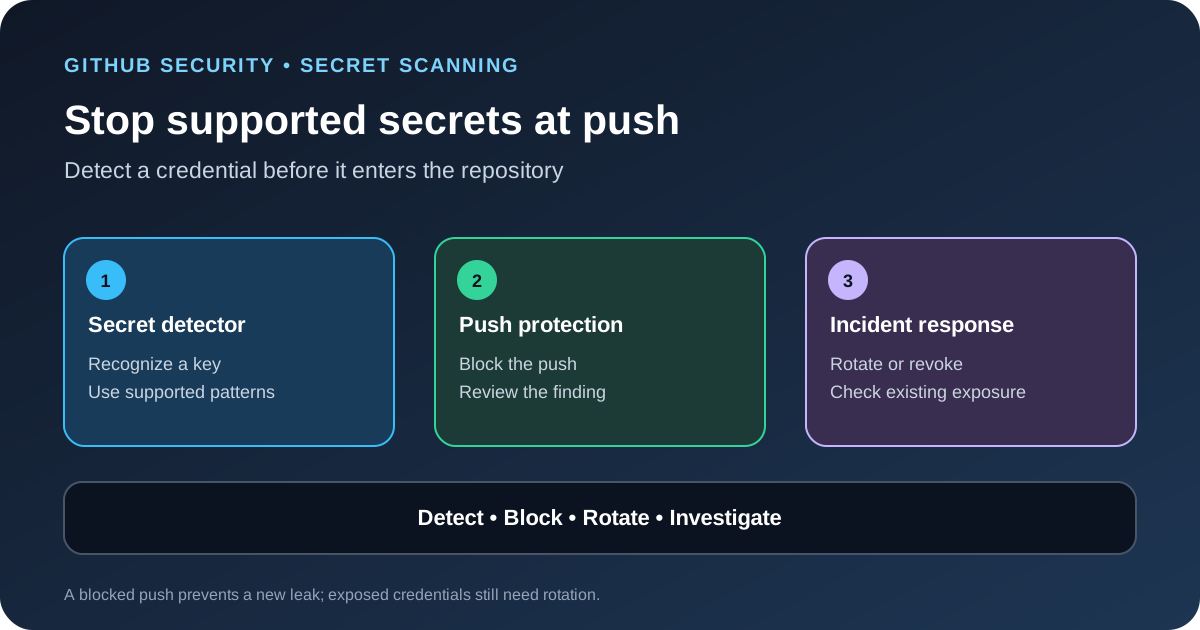
On October 13, 2026, GitHub announced new secret-scanning detectors for Anthropic and Cloudsmith credentials, plus Salesforce as a secret-scanning partner. The two new Anthropic key types are included in push protection by default for repositories where secret scanning is enabled. The practical change is earlier warning when a supported key is about to enter repository history, but it does not mean every secret type is covered or that an exposed credential is safe to keep using.
Which secret types were added
GitHub listed three new detector types: anthropic_service_api_key, anthropic_user_api_key and cloudsmith_api_key. It also added Salesforce as a secret-scanning partner for the salesforce_marketing_cloud_api_oauth2_token type.
The partner program and user-secret alerts work differently. When a supported partner secret is found in a public repository, GitHub can forward it to the provider so the provider can revoke or rotate it. User secrets generate alerts when found in public or private repositories. A detector finding is a signal to investigate, not proof that every credential is active or that every possible credential format is recognized.
What default push protection means
GitHub says the two Anthropic key types are now included in push protection by default for repositories with secret scanning enabled. A push containing one of those supported secrets can be blocked before it reaches the repository. GitHub also lists free public repositories among the repositories covered by the announcement, subject to the feature’s enablement and plan rules.
Do not read this as a promise that push protection is automatically enabled for every private repository. GitHub’s general documentation separates repository-level push protection from user-level protection and explains that repository protection can depend on GitHub Secret Protection and administrator settings. Check the current plan, repository settings and policy scope before assuming a project is covered.
What developers should do when a push is blocked
- Stop and inspect the finding. Identify the file, line and secret type reported by GitHub. Do not copy the credential into a ticket or chat while investigating.
- Remove the secret from the change. Replace it with a secret-manager reference or an environment variable. Keep the credential out of source files, examples, test fixtures and logs.
- Confirm whether it was already exposed. If a real key has reached a public repository, a local fix is not enough. Treat the credential as exposed and follow the provider’s rotation or revocation process.
- Rotate or revoke the key. Coordinate the change with the service that uses it. Check scheduled jobs, deployment environments and local developer settings so the old credential does not remain in use.
- Review the history and logs. Remove sensitive data from repository history when needed, but do not treat history rewriting as a substitute for rotating the credential. Review access logs for unexpected use.
- Use bypass only through policy. If the detector is a false positive or a test requires an exception, follow the documented bypass process and record the reason. A bypass should not become the default way to ship code.
Check coverage across repositories
Start with a list of repositories that store model keys, build credentials, cloud tokens or deployment secrets. Confirm secret scanning and push protection settings, identify who can bypass a block, and verify that alerts reach the team responsible for the credential. Public repositories and private repositories may have different plan requirements, so record the actual coverage rather than assuming one setting applies everywhere.
Use a small controlled test to confirm the expected behavior before changing organization-wide policies. Never test by committing a real production key. Use a documented test pattern or a safe sample and remove it after confirming the control. Make sure contributors know how to resolve a blocked push and how to report a secret found in an existing commit.
What this update does not guarantee
- Complete detection: Secret scanning only detects supported patterns and configured custom patterns. A new or unusual credential format may not be recognized.
- Protection after exposure: Push protection can stop a new leak, but it cannot make an already published key trustworthy. Rotate credentials that may have been exposed.
- Safe storage everywhere: A key can still leak through build logs, screenshots, issue comments, local files or a compromised machine. Keep access limited and avoid printing secrets.
- Automatic incident response: A detector does not decide whether a credential was abused. Someone still needs to investigate the alert and verify the remediation.
GitHub’s separate AI Scan metrics update covers code-scanning findings and remediation reporting; secret scanning addresses a different risk. Our MCP permission testing guide also explains how to limit credentials and tools exposed to an AI agent.
Sources
- GitHub Changelog: Secret scanning blocks Anthropic keys by default, adds Salesforce.
- GitHub Docs: Push protection.
- GitHub Docs: Push protection from the command line.