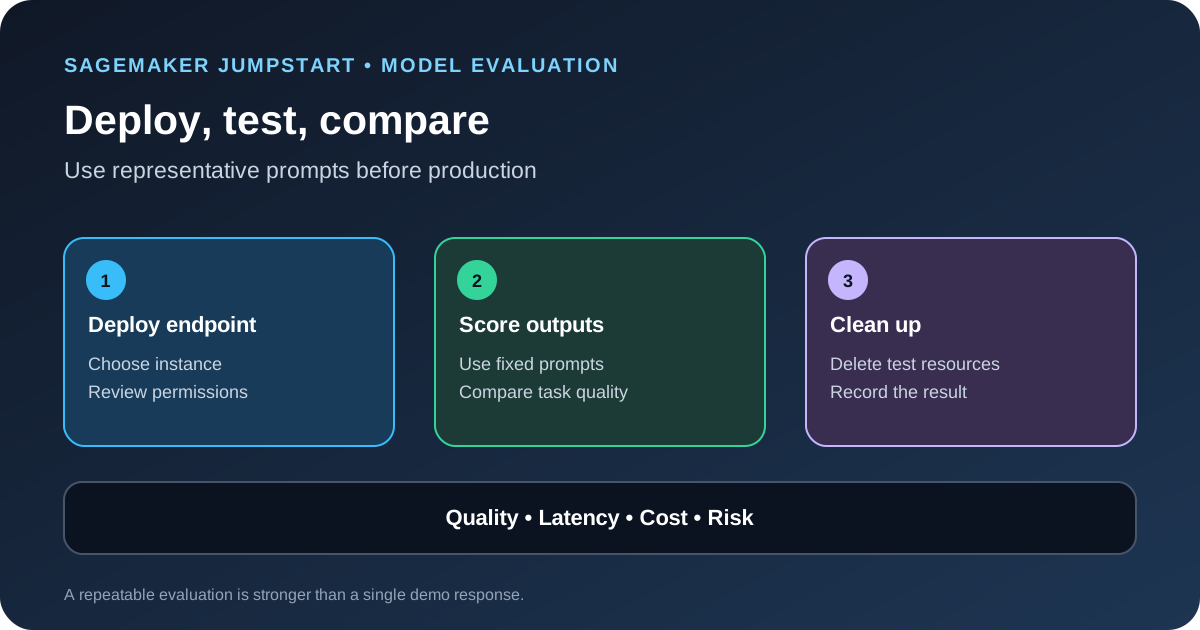
Amazon SageMaker JumpStart gives teams a catalog of pretrained models and a path to deploy selected models for inference. AWS published a new walkthrough on October 14, 2026 that pairs deployment with evaluation through the SageMaker Python SDK. The useful lesson is to treat a model endpoint as a test environment: deploy only what you need, run representative prompts, compare quality and operational metrics, then remove temporary resources when the test is finished.
Start with the task, not the model name
Before opening the model catalog, write down what the application must do. A summarization workflow needs different tests from a question-answering assistant or a classifier. Define the input format, expected output, maximum response time, acceptable error rate, safety requirements and cost limit. This makes it easier to reject a model that looks impressive in a demo but fails the real task.
Choose a small evaluation set that reflects actual use. Include common requests, long inputs, ambiguous questions, edge cases and examples where the correct answer is to refuse or ask for clarification. Keep sensitive production data out of early tests unless your organization has approved the data flow and access controls.
Deploy a model in JumpStart
In the current SageMaker Studio experience, open JumpStart, choose a model card and review the model details, supported tasks, license terms and deployment requirements. Select Deploy and inspect the proposed endpoint configuration. Some models require acceptance of an end-user license agreement before deployment.
Choose an instance type that the model supports and that fits the workload you want to test. Do not treat the default instance as the cheapest or fastest option for every task. Check regional availability, account quotas, memory requirements, network settings and the current pricing before you launch an endpoint. If the test only needs a short run, record a cleanup time before deployment begins.
A deployed endpoint gives an application a place to send inference requests. It does not prove the model is production-ready. Test access from the same type of client or network path that your application will use, but keep permissions and sample data limited while you evaluate it.
For a repeatable script, use the SageMaker Python SDK v3 used in the AWS walkthrough. Install the version range in the source guide, then resolve the model version and recommended instance before deploying. This example uses the model ID from the AWS post; replace it with a model that fits your task and Region.
from sagemaker.core.jumpstart.accessors import JumpStartModelsAccessor
from sagemaker.core.jumpstart.configs import JumpStartConfig
from sagemaker.core.training.configs import Compute
from sagemaker.serve import ModelBuilder

MODEL_ID = "huggingface-vlm-qwen3-5-27b"
MODEL_VERSION = "1.13.0"
REGION = "us-east-1"
ACCEPT_EULA = False  # Set True only after reviewing the model terms

specs = JumpStartModelsAccessor().get_model_specs(
    region=REGION,
    model_id=MODEL_ID,
    version=MODEL_VERSION,
)
if isinstance(specs, list):
    if not specs:
        raise ValueError(f"No JumpStart specification found for {MODEL_ID}")
    specs = specs[0]

def get_field(value, name, default=None):
    if isinstance(value, dict):
        return value.get(name, default)
    return getattr(value, name, default)

instance_type = get_field(specs, "default_inference_instance_type")
if not instance_type:
    raise ValueError("No recommended inference instance was returned")

config = JumpStartConfig(
    model_id=MODEL_ID,
    model_version=MODEL_VERSION,
    accept_eula=ACCEPT_EULA,
)
builder = ModelBuilder.from_jumpstart_config(
    jumpstart_config=config,
    compute=Compute(instance_type=instance_type, instance_count=1),
)
model = builder.build()
endpoint = builder.deploy()
print(endpoint.endpoint_name)
The example deliberately keeps the model ID, version, Region and license acceptance explicit. The AWS source includes additional checks for model specifications and a reusable performance-test loop. Payload formats and response schemas differ by model, so do not assume this snippet can invoke every model without changes.
Create a repeatable prompt test
Use the same prompt set for each candidate model and keep the prompt template fixed during the first comparison. Record the model ID and version, endpoint configuration, region, instance type, decoding settings, prompt version and date. If you change several of these at once, it becomes difficult to explain why the output changed.
Score each result against a rubric that fits the task. For question answering, check factual correctness, whether the answer is supported by the supplied context and whether it admits when evidence is missing. For summarization, check coverage of key points, unsupported additions and length. For classification, compare the predicted label with a reviewed expected label and report errors by class rather than only a single average.
Keep the original outputs so a reviewer can inspect failures. Automated scores are useful for finding patterns, but they do not replace human review for high-impact decisions or subjective tasks.
Use SageMaker Clarify model evaluations
AWS documents an integration between JumpStart and SageMaker Clarify Foundation Model Evaluations (FMEval) in the updated Studio experience. Where a model supports the feature, choose Evaluate from its detail page, select the evaluation task and configure a dataset. You can use built-in benchmarks or bring your own prompt dataset and criteria.
AWS lists evaluation dimensions that include accuracy for supported tasks, semantic robustness, factual knowledge, prompt stereotyping and toxicity. The exact metrics depend on the task and the evaluation configuration. Not every JumpStart model has built-in evaluation support, so confirm availability before planning the workflow around it.
FMEval is documented as a preview feature and requires the newer Studio experience. An evaluation also needs quota for a hosting instance and an evaluation instance. If the model is not already deployed, the evaluation process can create a temporary hosting instance for the duration of the job. Confirm that your account has the required quota and budget before starting a large run.
Measure latency and cost separately from quality
A model can score well on an offline dataset and still be a poor fit for a live application. Measure end-to-end latency, time to first token when relevant, throughput, error rate and cost per completed task. Run enough repeated requests to see normal variation, and separate cold-start behavior from steady-state behavior. Compare the same prompt lengths and concurrency levels across candidates.
Use a table to keep the decision visible: task quality, unsupported-answer rate, refusal behavior, P50 and P95 latency, throughput, estimated cost, instance requirements and operational complexity. Do not collapse all of these into an unexplained model score. If one model is cheaper but fails important cases, report that trade-off instead of hiding it in an average.
For related AWS performance work, see our report on SageMaker mixture-of-experts kernel optimizations. If you are comparing different providers rather than models inside one platform, use the same repeatable method described in our AI model switching evaluation guide. Cost-per-task calculations are covered in our LLM API cost guide.
Protect the test environment
Give the endpoint and evaluation job only the IAM permissions they need. Review whether model artifacts, input datasets and outputs use the correct S3 permissions, encryption and network controls. Avoid placing access keys in notebooks or source files. If the endpoint is reachable from an application network, restrict that path to the clients that need it.
Keep evaluation outputs separate from production records and document any third-party processing or retention terms that apply to the selected model. A model evaluation may send prompts to a hosted endpoint, so confirm the data is approved for that use before uploading it.
Delete temporary resources when the test ends
After the comparison, delete temporary endpoints and any test resources that are no longer required. Record the cleanup in the run checklist rather than relying on someone to remember it later. If the test must run again, automate resource creation and cleanup with explicit timeouts, and alert when a test endpoint remains active beyond its expected window.
Save the evaluation dataset, scoring rubric, configuration and result summary so another engineer can repeat the test. The goal is not just to find a model that works once; it is to create evidence that helps the team make the same decision again when models, prompts or costs change.
Sources
- AWS Machine Learning Blog: Deploy and evaluate models with Amazon SageMaker JumpStart.
- AWS Docs: Deploy a model in Studio.
- AWS Docs: Evaluate a text generation foundation model in Studio.
- AWS Docs: Deploy a JumpStart model.